You generated a 'settings' icon. It looked great. Then you prompted for a 'shopping cart' icon. It looked… different. Wrong line weight, different corner radius, a slightly off-brand color. Now you have two images, not an icon set. This is the core frustration with using general AI image tools for specific design tasks.
You don't need another prompt trick. You need a different approach entirely: a workflow that treats icons as a design system, not as a series of one-off requests.
You don't need an icon generator, you need an icon system
Icons are a visual language. They succeed based on consistency. Every icon in a set should feel like it came from the same family, sharing a common visual grammar—the same line weights, corner styles, and level of detail. This consistency is what makes a user interface feel intuitive and a brand feel cohesive.
Tools like Midjourney or DALL-E are built to generate novel, surprising, and detailed single images. They excel at creating a unique 'hero' image. But when you ask them to create a series of simple, related graphics, their strength becomes a weakness. Each generation is a new roll of the dice, making stylistic consistency almost impossible to maintain across a set of ten, twenty, or fifty icons.
To get a true icon set, you need an AI that understands your brand as a system. The goal isn't to generate one perfect icon; it's to generate an entire library of assets that are all perfect, together.
The workflow: generating a complete icon set from a single prompt
The solution is to reverse the process. Instead of trying to force a brand style onto a generic AI model with every single prompt, you define your brand's visual system first. Once the AI knows your rules—your colors, fonts, and stylistic preferences—it can apply them automatically to every single output. This is the foundation of the MyUP Brandkit.
Here’s how to use that system-first approach to generate a complete set of on-brand graphical assets that can serve as icons, stickers, or spot illustrations.
Step 1: Define your icon style with a Brandkit
Before you generate anything, you teach MyUP your visual identity. This is a one-time setup. You can build a Brandkit by simply entering your website URL, which allows the system to automatically extract your logo, color palette, and fonts.
From there, you can add stylistic keywords that define the look of your visual assets. This is where you establish the rules for your icon set. Your style description might be:
- "Minimalist, single line weight, rounded corners, duotone color scheme"
- "Flat 2D vector style, bold outlines, vibrant solid colors, no gradients"
- "Isometric 3D icons, glossy finish, soft shadows, pastel color palette"
This Brandkit becomes the permanent, repeatable foundation for all your content. You define the rules once, and MyUP enforces them every time.
Step 2: Generate your core brand assets in one go
With your Brandkit active, you no longer need to describe your style in every prompt. You just need to ask for what you want. Instead of prompting one by one, you can use a workflow designed for batch creation. Provide a simple list of the concepts you need, and the workflow will generate a stylistically matched set based on the rules in your Brandkit.
For example, you could generate a set of sticker-style graphics perfect for social media, presentations, or web UI elements. Just list the items you need, and the workflow handles the rest, ensuring every sticker shares the same visual DNA.
Workflow code: #myup-swqt-4zo3
Product Stickers

Turn your logo into a nostalgic, vibrant Y2K-style vertical ad. It automatically pulls your brand colors to create matching sweet treats like custom donuts or cupcakes in the background, giving you a super playful retro-pop aesthetic.
Regenerate using your own assets.
Beyond the UI: using your icon style everywhere
A consistent visual style is too valuable to be confined to your website's navigation. Once you have a library of on-brand icons or stickers, they become powerful assets for building a recognizable brand across all your channels. You can use these same graphical elements to bring a cohesive look to your marketing materials, from social media posts to digital ads.
Because the Brandkit defines your style, you can apply it to more than just icons. Use a workflow to create a minimalist ad poster, and it will automatically pull from your brand's aesthetic—the same colors, the same typographic feel, and the same overall mood. This is how you scale a brand identity. You can even use this approach to create a whole series of visuals for a complete social media campaign from a single brief.
Workflow code: #myup-fy77-jljs
Minimalist Elegant Product Advertising Poster

Turn any product shot into a high-end editorial ad. It places your item against a soft cream background with airy spacing and adds elegant, small serif typography at the top. Great for wellness or luxury brands wanting a calm, minimal aesthetic.
Regenerate using your own assets.
From icons to collages: building complex creative with your assets
Your generated icons and stickers are not just final outputs; they are creative building blocks. They form a library of reusable assets you can combine and remix into more complex designs. A set of on-brand product stickers can become the key elements in a dynamic, eye-catching collage for an Instagram story or a promotional email.
This workflow demonstrates how to take your core brand elements and arrange them into a scrapbook-style collage. The system already knows your style, so you can focus on the composition and message, knowing the visual foundation is already solid.
Workflow code: #myup-sacz-tjdn
Y2K Scrapbook Collage Creator
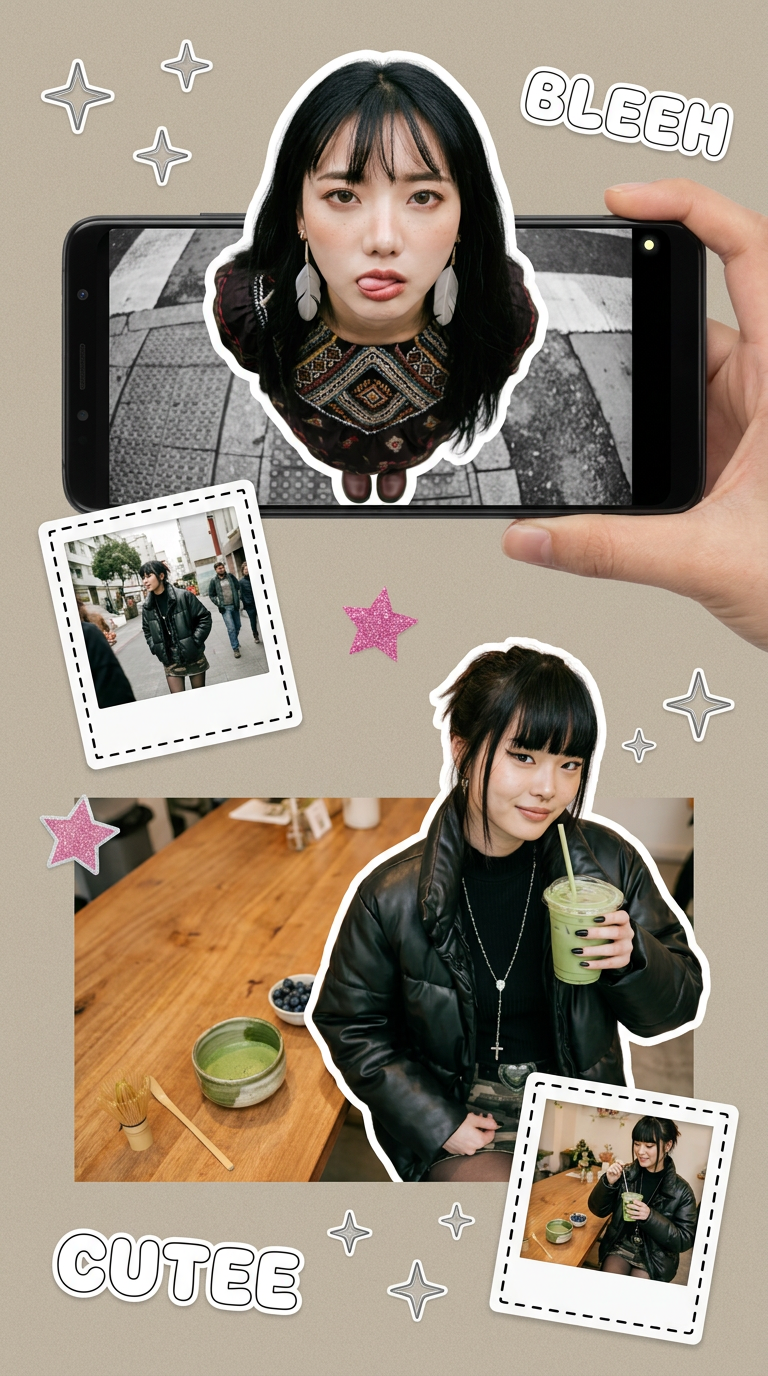
Put two different people into the same scene without losing their real-world features. Just upload two portraits and drop them together into any setting or style you need. It keeps both faces incredibly accurate.
Regenerate using your own assets.
Workflow code: #myup-swqt-4zo3
The final step: human validation for a perfect result
Automation is for production, not for judgment. The power of a workflow-based approach is that it handles the repetitive, time-consuming parts of content creation—generating dozens of assets that all adhere to a predefined style. MyUP executes, but you validate.
Your role shifts from being a manual producer to a creative director. You review the generated set of icons, select the strongest options, and make any final tweaks. The AI does the heavy lifting, but the final creative approval remains with you. This partnership ensures you get both the efficiency of automation and the quality that comes from human expertise.
