
The last week of June 2026 changed AI video generation. With the public releases of Luma Labs' Dream Machine and Runway's Gen-3 Alpha, what used to take hours of rendering now takes minutes. You can turn a single image or a simple text prompt into a fluid, high-quality video clip almost instantly. It’s a massive leap forward. And it created an immediate, new problem for every creator and marketer who tried it: what do you actually do with a 5-second video?
You generated a beautiful, cinematic shot of your product. It’s perfect. And it’s over before it even has a chance to make an impact. This article provides the practical workflow to solve that exact problem. We'll show you how to take those raw, short clips and turn them into seamless loops, longer sequences, and finished, on-brand assets, all within MyUP.
The 5-second bottleneck: why short clips fall flat for marketing
A 5-second video is a great technical demo, but it's a poor marketing asset. On platforms like Instagram, TikTok, or LinkedIn, you need content that can hold attention or serve as a persistent visual element. A short, abrupt clip fails on several fronts:
- It breaks the loop. An awkward jump from the last frame back to the first is jarring for viewers, especially for background videos on websites or in social media stories.
- It's too short for storytelling. You can't establish a mood, showcase a feature, and present a call-to-action in five seconds without it feeling rushed and ineffective.
- It's disposable. A single short clip is a novelty. A seamless, looping animation is a reusable brand asset you can deploy across dozens of campaigns.
The new generation of AI video tools are incredible for raw material generation. But they are point solutions. They hand you an ingredient, not the finished meal. To make these assets work for your brand, you need a workflow that bridges the gap from raw clip to publish-ready content.
The workflow: how to create seamless loops in MyUP
Turning a short clip into a perfect loop isn't about just replaying it. It requires creating a smooth, invisible transition from the end back to the beginning. Doing this in traditional video editing software is a manual, frame-by-frame process. In MyUP, it's an automated workflow.
Here’s how it works:
- Import Your Clip: Start a new project in MyUP and upload the 5-second video you generated with a tool like Luma or Runway.
- Analyze Frames: The workflow automatically analyzes the first and last frames of your video, identifying key visual elements, motion vectors, and lighting.
- Generate Transition: Based on this analysis, MyUP generates a short sequence of new, in-between frames that perfectly bridge the visual gap between the end and the start of your original clip.
- Stitch and Render: The workflow then stitches your original clip together with the new transitional frames, rendering a new, slightly longer video file that loops perfectly without any visible jump.
The entire process is managed by the workflow. You provide the input and approve the final result. MyUP handles the technical production. This is ideal for creating mesmerizing loops of products, like a perpetually sparkling piece of jewelry, that can run for any duration you need.
Workflow code: #myup-qtty-nngw
Jewerly Product Ad
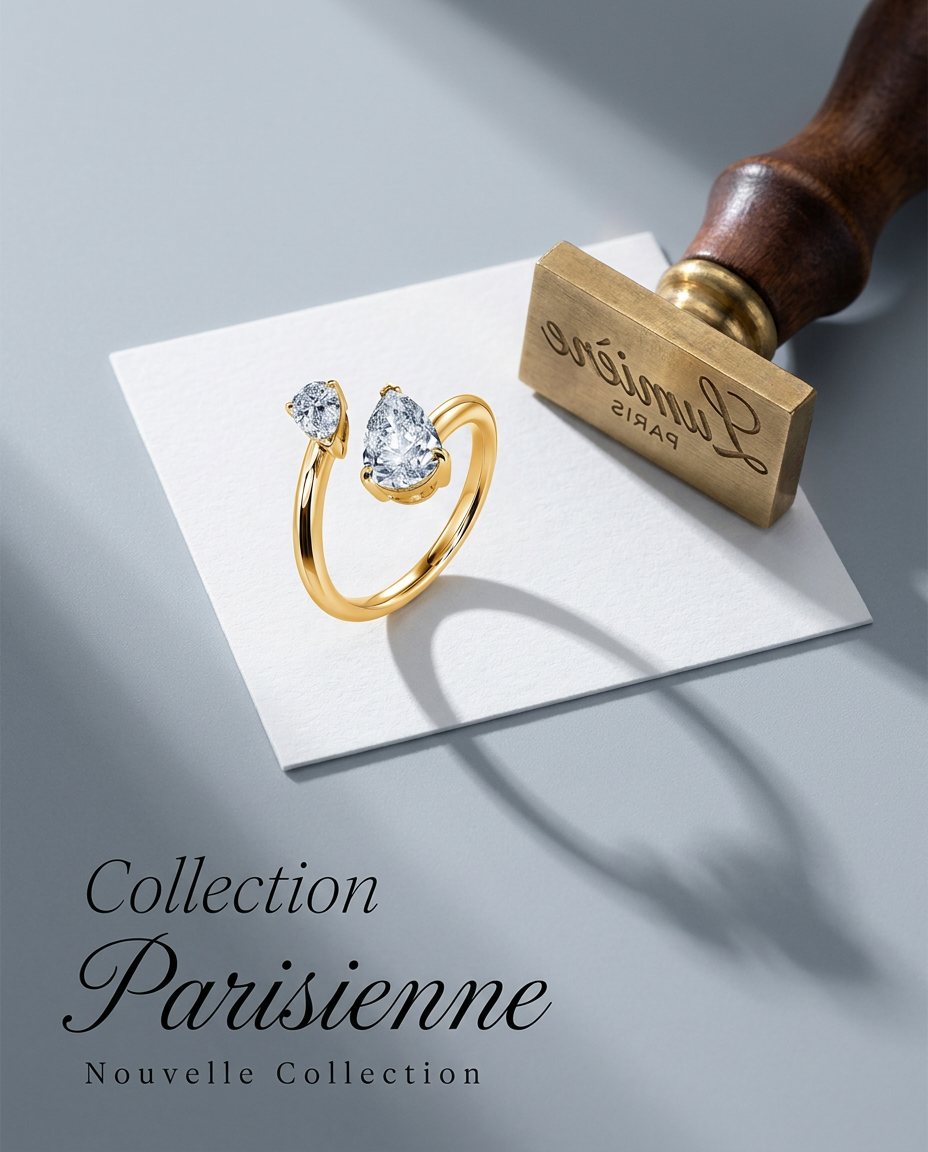
Turn any product into a high-end editorial shot. It drops your item into a clean, flat-lay setup with soft directional light and elegant long shadows against a cool matte gray background.
Regenerate using your own assets.
Case study: turning a beverage clip into an on-brand ad
Let's make this practical. Imagine you're marketing a new canned beverage. You use an AI tool to generate a 5-second clip of the can sitting on a beach with waves gently rolling in. It looks great, but it's just a raw clip.
Inside MyUP, you can run a workflow that does more than just loop it. First, it creates the seamless loop of the waves and the can. Then, it automatically pulls from your saved Brandkit to transform the clip into a finished ad.
- Your logo is overlaid in a corner, using the correct clear space rules.
- A tagline appears in your brand's primary font and color.
- A call-to-action button or a promotional offer is added, using your brand's visual identity.
What started as a generic, 5-second clip is now an on-brand, infinitely-looping social media ad, ready to be exported as a GIF or MP4. You didn't need to open a separate design tool or video editor. The workflow turned a raw material into a finished asset in a single, continuous process. You simply provide the creative direction and validate the output.
Workflow code: #myup-cqnu-i50m
Drink Product Ad
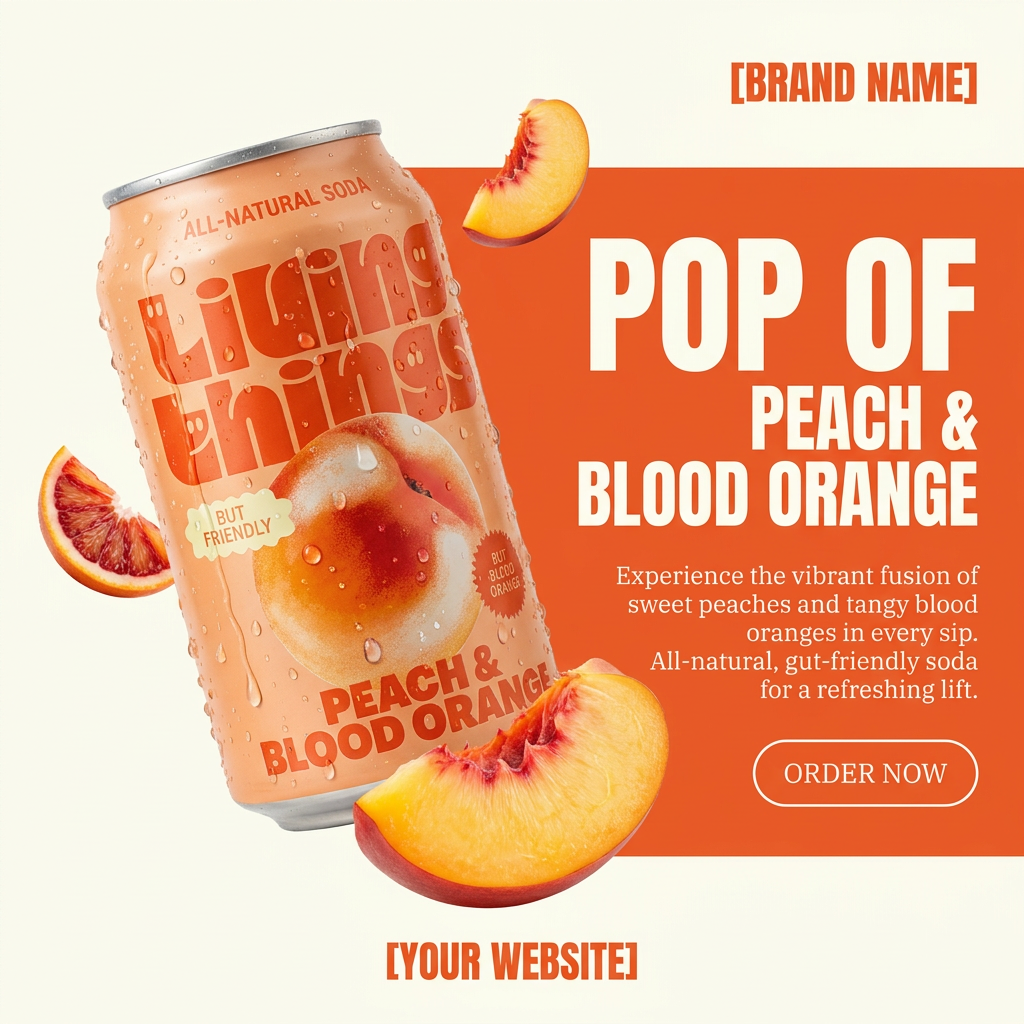
Turn any product photo into a bold, modern ad poster. It automatically frames your item against a split-color background, pairing a clean cream tone with a solid block of your product's dominant color. Super clean, minimal, and ready for social feeds.
Regenerate using your own assets.
A faster workflow for 'living stills' and cinemagraphs
This workflow isn't just for fixing videos you've already made. It's also the fastest way to create 'living stills' or cinemagraphs from a static product photo. This technique, where only one part of an image has subtle, repeating motion, is a proven way to stop the scroll on social media feeds.
With tools like Runway's new Motion Brush, creators can isolate motion with incredible precision. You can take that concept and productionalize it within MyUP. Instead of starting with a video, you can start with a high-quality still image of your product.
A MyUP workflow can then be instructed to add subtle animation—like steam rising from a bowl of soup, cheese pulling from a slice of pizza, or light glinting off a bottle. The result is a high-impact, looping visual that feels more dynamic than a photo but is far less expensive and time-consuming to produce than a full video shoot. This is a perfect example of how to unlock real-time creative iteration, turning a simple idea into a dozen visual variations for testing.
Workflow code: #myup-w0vh-abft
Food Product Ad
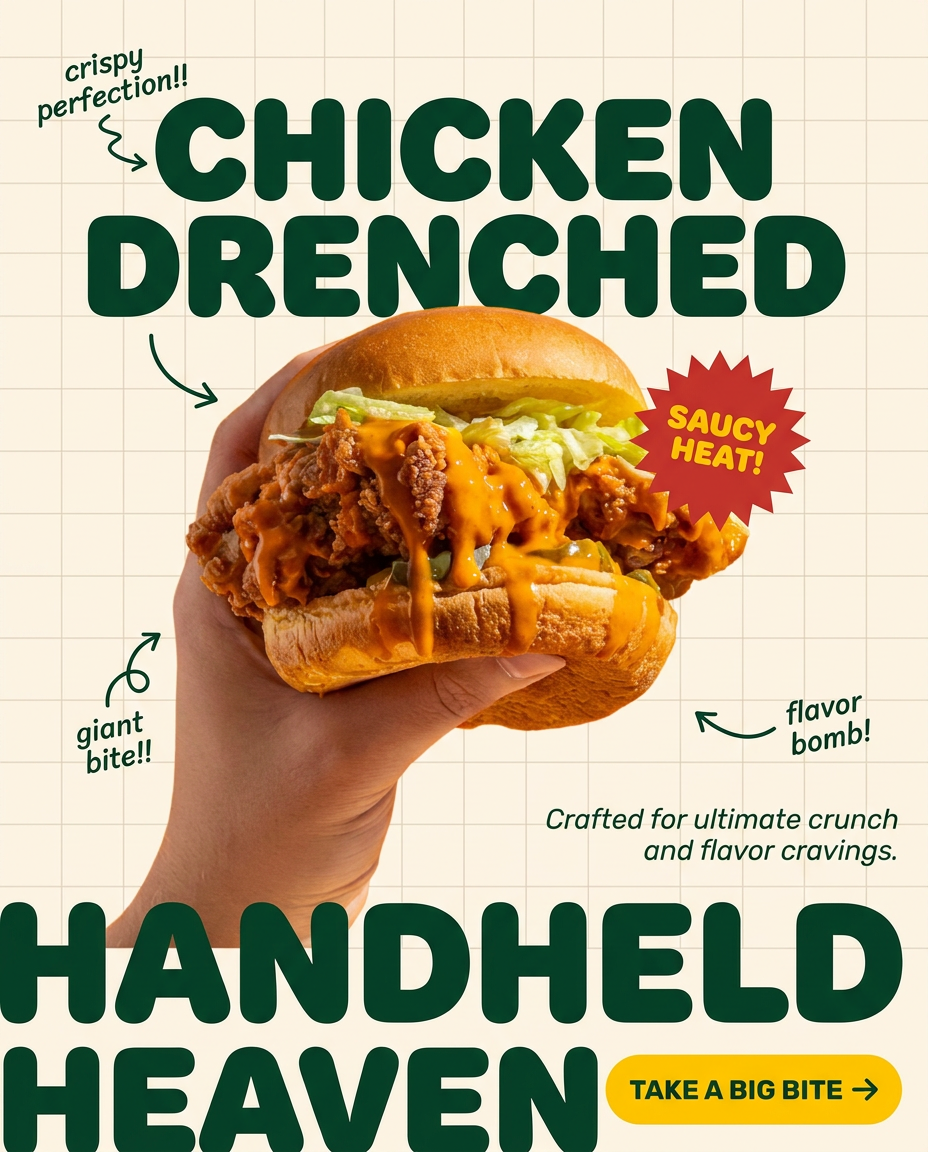
Turn any dish or snack into a bold, playful social ad. It places your food against a soft warm beige background with a subtle grid pattern, topped with chunky rounded headlines. It's clean, friendly, and instantly grabs attention in the feed.
Regenerate using your own assets.
From raw clip to finished asset: your new animation command center
The bottleneck in AI video has shifted. It's no longer about generation speed; it's about the post-generation workflow. Standalone tools will give you exciting, raw clips faster than ever before. But raw clips don't drive sales or build brands.
MyUP is designed to be the integrated command center that turns those raw materials into finished assets. By combining video processing, Brandkit integration, and automated workflows, you can solve the 5-second problem and scale your visual content production. Instead of just generating a clip, you can now generate a campaign. The speed of models like Dream Machine is the starting gun, but the workflow in MyUP is what helps you finish the race.
