
Recent advancements in AI image generation, like Midjourney V7's integrated text rendering (June 25, 2026) and Stable Diffusion 4's focus on speed and prompt adherence (June 26, 2026), promise higher quality. However, the core problem of visual inconsistency across AI outputs persists, as evidenced by recent user frustrations reported on X (June 25, 2026). This is where MyUP.ai steps in. We combine cutting-edge AI image generation with robust brand control to ensure every video thumbnail you produce is not only eye-catching but also unmistakably yours, designed to stand out and convert viewers.
The hidden cost of generic video thumbnails
A video thumbnail is your content's first impression, often the sole determinant of whether someone clicks play or scrolls past. A generic, off-brand, or poorly designed thumbnail is more than just a minor oversight; it's a missed opportunity for engagement and brand reinforcement. Each time a viewer skips your video because the thumbnail doesn't resonate or looks unprofessional, you're losing potential views, subscribers, and ultimately, conversions.The problem is compounded when relying on AI tools that lack brand awareness. You might get a visually appealing image, but if it doesn't align with your brand's colors, fonts, or overall style, it dilutes your identity. This inconsistency creates a disjointed experience, eroding trust and making your content forgettable. Tech analysts recently reported growing frustration on X (June 25, 2026) over AI video character and style inconsistency, highlighting that creators need more than just generation; they need *control* and *cohesion*.
MyUP's Brandkit: Your foundation for on-brand AI visuals
The cornerstone of consistent, high-converting video thumbnails on MyUP.ai is the Brandkit. Instead of starting from scratch or manually adjusting every AI output, MyUP's Brandkit allows you to define your visual identity once – including your logo, brand colors, typography, and even preferred aesthetic styles – and automatically apply it to every image and visual asset you generate. This feature ensures that all your AI-created thumbnails are inherently on-brand, eliminating the guesswork and manual corrections that plague other AI tools.Think of it as baking your brand guidelines directly into the AI's creative process. When you initiate an image generation task on MyUP.ai, the Brandkit acts as a visual filter, guiding the AI to produce results that adhere to your established identity. This means less time spent in post-production trying to force consistency and more time focusing on compelling content. For a deeper dive into establishing your brand's visual identity within MyUP, explore our guide on Bake your brand guidelines into every AI visual you create.
Workflow step 1: Defining your thumbnail's visual strategy
Before generating anything, clarify your thumbnail's purpose. What's the video about? What emotion or information do you want to convey instantly? Effective thumbnails typically feature a clear subject, compelling text, and a consistent aesthetic that grabs attention. On MyUP.ai, you'll start by outlining these parameters, leveraging your Brandkit to ensure the core visual direction is always aligned with your brand.Consider the visual hierarchy: what's the most important element? Is it a product, a person, or a striking graphic? How will text be integrated without cluttering the image? MyUP allows you to experiment with various compositional styles. To begin crafting a clean, text-focused thumbnail style that aligns with modern aesthetics, consider starting with a workflow like the Modern Minimalist Food Promotional Poster. This template helps you develop a strong visual structure that prioritizes clarity and brand identity, perfect for a video thumbnail. Workflow code: #myup-egd6-d8uv
Modern Minimalist Food Promotional Poster
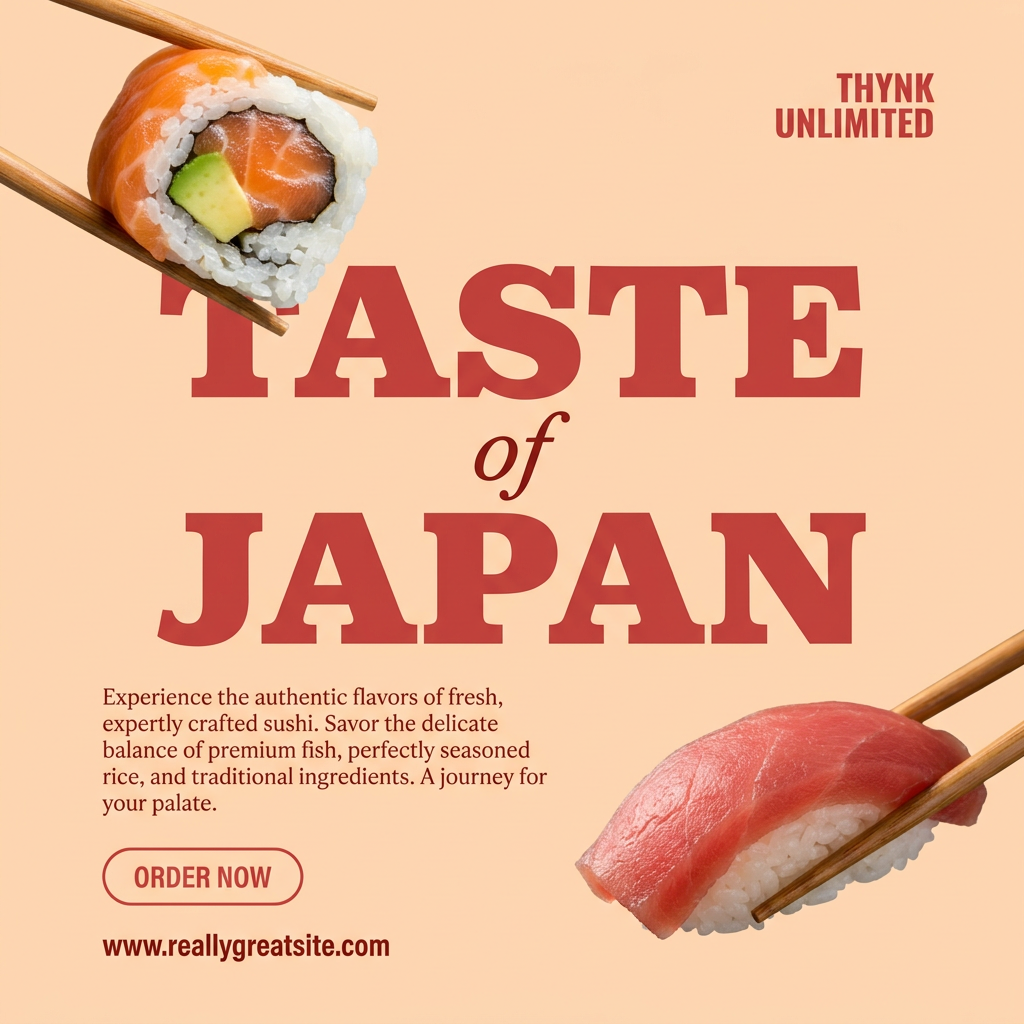
Turn your food photos into clean, modern social posters. It automatically grabs the lightest color tint from your uploaded dish to build a perfectly matched, soft background that keeps your feed looking cohesive and high-end.
Regenerate using your own assets.
Workflow step 2: Generating high-impact imagery with AI
With your visual strategy in place, the next step is to generate the core imagery using MyUP's AI image generator. Our platform leverages advanced models to produce high-quality, photorealistic, or stylistically accurate visuals based on your prompts. Crafting effective prompts is key here; focus on descriptive language that specifies subject matter, desired style (e.g., 'cinematic,' 'vibrant,' 'minimalist'), lighting, and composition.For instance, if you need a specific object or a realistic scene, you can rely on the enhanced photorealism capabilities of models like Midjourney V7 (June 25, 2026), which also offers improved integrated text rendering for clearer titles directly within your image. Alternatively, if speed and precise adherence to complex stylistic prompts are critical for rapid iteration, MyUP's integration with models like Stable Diffusion 4 (June 26, 2026) allows for faster generation. Remember, MyUP executes, but you validate; refine your prompts and iterate until the AI output perfectly matches your vision. To create striking, visually rich imagery for your thumbnails that stand out, use a workflow like the Bold Portrait Food Advertising Photo. Workflow code: #myup-xjsb-hirr
Bold Portrait Food Advertising Photo

Get those high-impact, tight action shots of people actually enjoying your food brand. It drops your product right into a messy, realistic close-up bite shot that feels like a premium lifestyle campaign instead of a boring studio packshot.
Regenerate using your own assets.
Workflow code: #myup-wo7y-ebmc
Food Ad
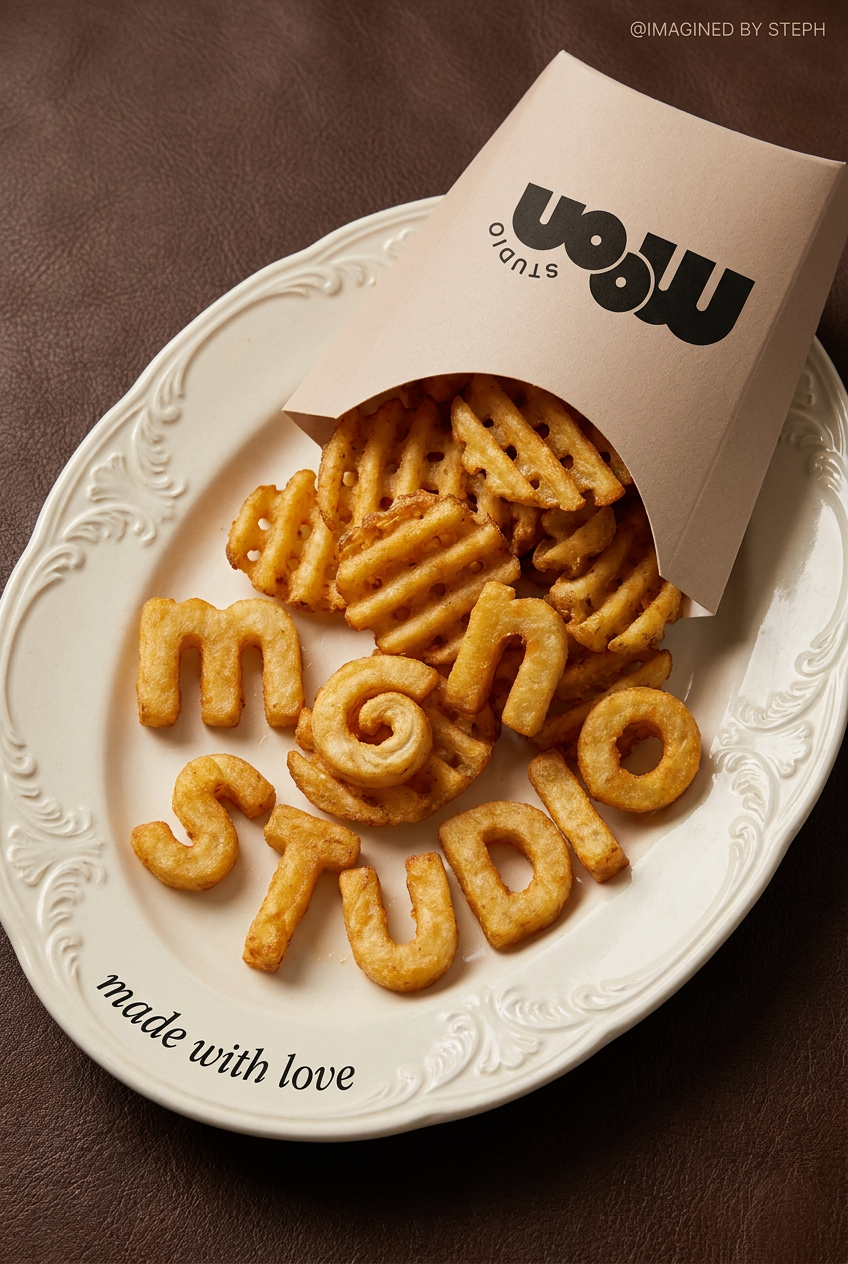
Transform simple food items into high-fashion editorial campaigns. This style uses a dynamic diagonal layout and a slightly tilted overhead angle to give your products incredible depth and texture, making them look like luxury design pieces.
Regenerate using your own assets.
Workflow step 3: Integrating brand elements and text for conversion
A compelling image is only half the battle. For a thumbnail to truly convert, it needs clear, branded text and your logo. On MyUP.ai, your pre-configured Brandkit automatically applies your chosen brand fonts and colors, ensuring consistency without manual effort. This is crucial for legibility and reinforcing brand recognition at a glance.Focus on concise, impactful text that creates curiosity or clearly states the video's value proposition. The improved text rendering capabilities of modern AI models, as seen in Midjourney V7, mean you can generate text directly within your images with greater reliability. However, MyUP gives you the control to fine-tune text placement, size, and style to ensure maximum legibility across all screen sizes. Integrating your logo subtly but effectively ensures viewers instantly recognize your content. To streamline the process of adding your brand's logo and product shots consistently into your thumbnail designs, leverage the Product Brand Post workflow. Workflow code: #myup-kbgo-tlle
Product Brand Post

Drop in your product to generate a cohesive nine-post Instagram grid. It blends warm lifestyle photography and flat-lay packaging with bold hand-drawn doodles, collages, and urban billboard mockups. Everything automatically styles itself to your brand's colors.
Regenerate using your own assets.
Workflow step 4: Rapid iteration and A/B testing for optimal performance
The best thumbnail isn't always obvious from the first attempt. Optimizing for click-through rate (CTR) often requires A/B testing multiple variations. MyUP.ai's workflow automation makes this process incredibly efficient. Once you have a base design, you can quickly generate numerous variations by tweaking prompts, changing colors (via Brandkit), or experimenting with different text overlays.The speed and prompt adherence offered by models like Stable Diffusion 4 (June 26, 2026) within MyUP allow for rapid iteration without sacrificing quality or brand consistency. You can generate dozens of distinct, on-brand thumbnails in minutes, ready for testing on platforms like YouTube. This rapid feedback loop enables you to quickly identify which visuals resonate most with your audience, leading to higher engagement and conversions. For generating multiple product-focused thumbnail variations quickly for A/B testing, the Product Post workflow is ideal. Workflow code: #myup-gxue-opd0. Learn more about optimizing your visual assets with our guide on Rapid-fire AI image generation: Produce dozens of on-brand visuals for A/B testing.
Product Post

Turn a single product shot into a cohesive six-part Instagram story campaign. It mixes tactile crumpled paper textures with bold, stacked typography and custom mascot spots in your brand's signature colors.
Regenerate using your own assets.
Beyond thumbnails: Extending your branded AI video content
The principles and workflows you use to create on-brand video thumbnails on MyUP.ai extend far beyond a single image. Your Brandkit and the iterative generation process can be applied to virtually all your video-related visual assets. This includes end cards, channel banners, social media promotional graphics, and even key frames extracted from your AI-generated videos.Ensuring visual consistency across your entire video content ecosystem strengthens your brand identity and creates a cohesive, professional presence. Whether you're producing a series of TikTok videos or transforming blog posts into video content, MyUP provides the tools to maintain that crucial brand thread. Explore how to expand your branded video content with articles like How to create a branded AI video story series for TikTok and Instagram and From article to video: the AI workflow that doesn't look generic.
Convert more viewers with MyUP's on-brand AI thumbnails
Generic AI outputs are a thing of the past. In today's competitive video landscape, every visual touchpoint, especially your video thumbnails, is an opportunity to strengthen your brand and capture audience attention. MyUP.ai empowers you to move beyond inconsistent, uninspired visuals to create a library of high-converting, on-brand video thumbnails.By leveraging MyUP's Brandkit, advanced image generation capabilities, and streamlined workflows, you gain the creative control needed to produce professional, impactful thumbnails that truly represent your brand and drive engagement. Stop leaving your click-through rates to chance. Start creating consistently branded, stand-out video thumbnails with MyUP.ai today.
