
Why one-click AI presentation makers are a trap for your brand
A new wave of AI presentation tools like PitchSpark AI has arrived, promising to generate a complete pitch deck from a single prompt. It sounds like a dream: type in your business idea and get back a finished deck in minutes. But there's a critical flaw hiding in plain sight: the visuals are hopelessly generic. Every deck uses the same stock-like illustrations, the same bland color palettes, and the same uninspired layouts. When your goal is to stand out and convince investors or clients, looking like everyone else is the fastest way to be forgotten.
A great presentation isn't built on AI-written bullet points; it's built on a compelling visual narrative that communicates your brand's unique point of view. Speed is worthless if it sacrifices identity. This isn't about working harder; it's about working smarter. Instead of outsourcing your entire story to a generic template, the professional approach is to use AI to build a complete, cohesive visual system—an asset pack of icons, illustrations, charts, and backgrounds that are 100% on-brand. This guide provides the exact workflow to do it on MyUP.ai.
Step 1: Build your visual foundation with a Brandkit
Before you generate a single image, you need to define the rules. In MyUP, this is your Brandkit. It's the central source of truth for your visual identity, storing your logo, color palette, fonts, and core style description. This isn't just a folder of assets; it's the DNA of your brand that MyUP uses to inform every single creation. By setting this up once, you ensure that every visual asset—from the smallest icon to the most complex chart—shares the same cohesive aesthetic automatically. This is the difference between a random collection of images and a professional visual system. Spend ten minutes here, and you'll save hours of tedious manual adjustments later.
Step 2: Generate a consistent set of icons and spot illustrations
Your deck needs small, clear visuals to represent features, benefits, and key concepts. The problem with most AI image generators is getting them to produce a *set* of icons that look like they belong together. With your MyUP Brandkit active, this becomes simple. The AI will automatically reference your brand's style and color palette.
Start with simple, descriptive prompts. For example:
- "Minimalist line art icon of a secure data cloud"
- "Isometric 3D icon representing financial growth"
- "Flat design spot illustration of a team collaborating around a whiteboard"
Because MyUP is working from your Brandkit, the line weight, color usage, and overall feel will remain consistent across the entire set. The user validates the output, while MyUP handles the production, ensuring every icon feels like part of the same family. For a clean, elegant starting point, the following workflow is perfect for generating minimalist visuals that can be adapted for icons or simple illustrations.
Workflow code: #myup-fy77-jljs
Minimalist Elegant Product Advertising Poster

Turn any product shot into a high-end editorial ad. It places your item against a soft cream background with airy spacing and adds elegant, small serif typography at the top. Great for wellness or luxury brands wanting a calm, minimal aesthetic.
Regenerate using your own assets.
Step 3: Create on-brand data visualizations that actually make sense
Until recently, getting AI to generate an accurate chart was impossible. But as of July 2026, new underlying models have made it a reality. This is a massive leap for creating professional presentations, allowing you to move beyond default Excel or Google Slides charts. MyUP operationalizes this new technology into a simple workflow.
You can provide a reference image—even a rough sketch or a basic spreadsheet chart—and instruct MyUP to redesign it as a polished data visualization. For instance, you can prompt: "Redraw this bar chart using my brand colors. Use a clean, sans-serif font for the labels. The style should be modern and minimalist." MyUP will interpret the structure of your reference chart while applying the fonts and colors from your Brandkit, giving you a custom, on-brand graphic that accurately represents your data.
Step 4: Produce professional, uniform headshots for your team slide
The 'Our Team' slide is one of the most important in a pitch deck, but getting consistent, high-quality headshots from a distributed team is a logistical nightmare. This has driven a recent surge in searches for 'AI team photos'—and for good reason. Using AI, you can create a perfectly uniform set of headshots where everyone has the same background, lighting, and style.
In MyUP, you can create a workflow that takes individual photos and re-styles them to fit a consistent template defined by your Brandkit. This ensures every team member looks professional and part of a cohesive unit, elevating the entire presentation's quality. For a deep dive into this specific process, see our guide on the professional workflow for AI headshots that actually look real.
Step 5: Design a library of subtle, on-brand backgrounds
Don't ruin a well-designed slide with a generic, overused stock photo background. Your slides need breathing room, and a library of subtle, on-brand backgrounds provides a professional canvas for your content. Using your MyUP Brandkit, you can generate an infinite variety of options that perfectly match your aesthetic.
Try prompts like:
- "Subtle abstract background with a soft gradient using my brand's primary and secondary colors."
- "A light gray background with a faint, geometric line pattern."
- "Macro photo of textured paper in my brand's accent color."
This gives you a set of unique, proprietary backgrounds that reinforce your brand identity on every slide. The workflow below is an excellent starting point for creating rich, textured backgrounds.
Workflow code: #myup-hcix-fsva
Textured Paper Calendar Close-Up
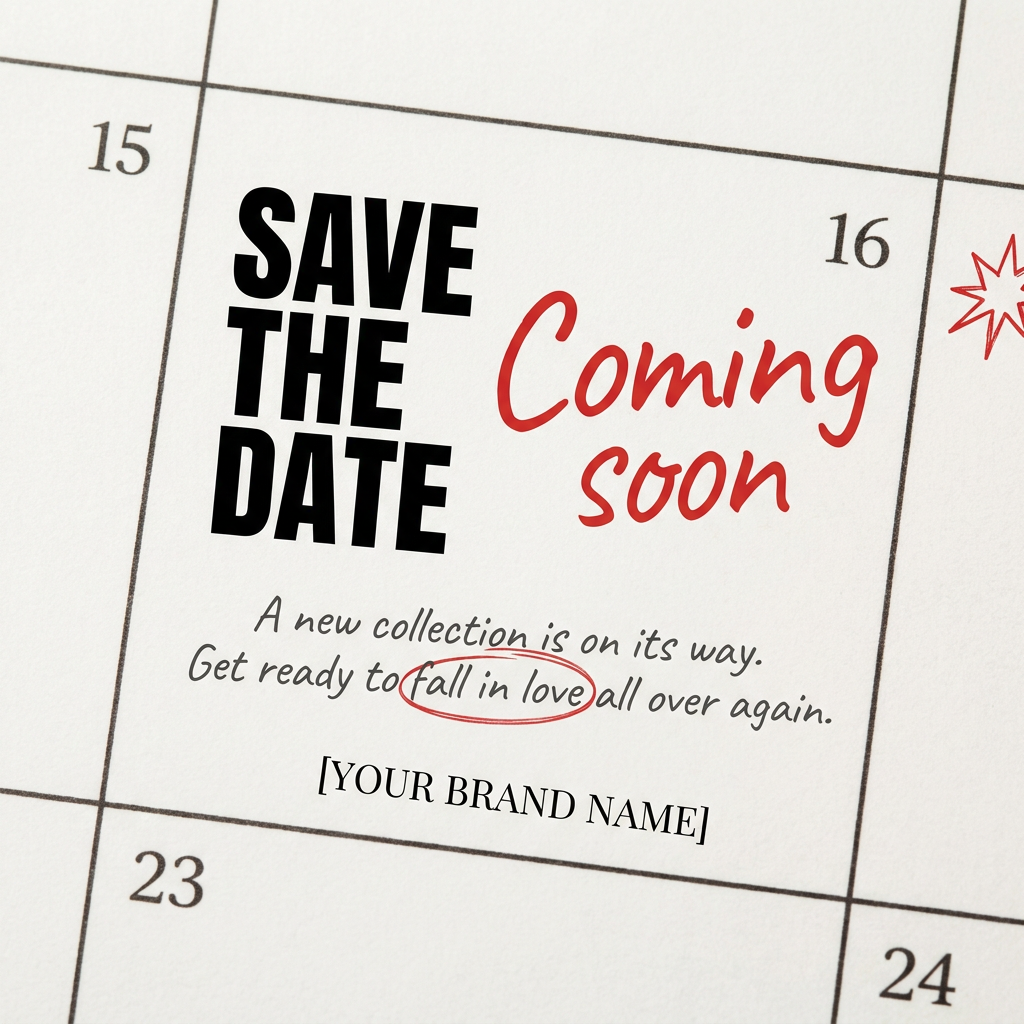
Turn your upcoming dates or launch schedule into a beautiful, tactile physical calendar. It renders crisp minimalist grids on heavy textured paper with realistic macro focus. Perfect for sharing events on social media without looking like a generic graphic.
Regenerate using your own assets.
Step 6: Create compelling title and section divider slides
Your title slide and section dividers are your deck's headline moments. They need to be visually arresting and set the tone. Thanks to new AI models that can finally render text reliably, you can now generate these as complete, finished assets directly in MyUP. Combine a powerful image with a crisp headline, all guided by your Brandkit.
For example, a prompt could be: "A minimalist poster for a tech company. A central, abstract illustration of a neural network. Below it, the text 'The Future of AI' in a bold, clean sans-serif font." MyUP pulls the colors, font styles, and illustration aesthetic from your Brandkit to create a powerful, poster-style slide. This approach is far more impactful than a simple text box on a white background. This is the same principle used to build out a full visual identity for a podcast or other brand project.
Workflow code: #myup-k4td-9k6z
Minimalist Poster

Give your social feed a clean, gallery-like aesthetic. This layout frames your images with structured mono typography and soft, neutral backgrounds for a high-end editorial look. It's perfect for minimal product launches or brand announcements.
Regenerate using your own assets.
Your complete asset pack: From MyUP to Google Slides in minutes
In less than an hour, you've moved beyond the limits of generic AI slide writers. You now have a complete visual asset pack: a cohesive set of icons, custom-branded charts, uniform team headshots, a library of backgrounds, and high-impact title slides. All of these assets share the same visual DNA, ensuring your pitch deck looks professional, unique, and memorable.
This workflow puts you in control. MyUP executes the tedious production, but you validate the creative direction. The result isn't just a faster presentation; it's a better, more persuasive one that truly represents your brand. By focusing on creating a robust visual system first, you empower yourself to build any slide you need, confident that your brand's integrity remains intact—a core principle for creating any kind of brand-safe content with AI.
