If you're reading this in late July 2026, you might be one of the thousands searching for an "AI t-shirt mockup generator." The search trend is spiking because the promise is huge: visualize your product on a realistic model without a photoshoot. But that initial excitement quickly fades when you try to build a real product launch.
You generate a great shot of your t-shirt on a model in a studio. Then you try to get a flat lay of the same shirt. The lighting is different. The fabric texture is wrong. Then you try for a lifestyle shot, and the model suddenly looks like a different person. Your campaign now looks like a disjointed collection of stock photos. This is the fundamental failure of single-purpose generators: one good mockup is useless. What you actually need is a dozen consistent assets to build a campaign.
The real goal: not a mockup, but a cohesive campaign
A professional product launch doesn't rely on one hero image. It requires a suite of visuals that feel like they were all shot on the same day, by the same photographer, with the same creative direction. This includes:
- On-model shots: Showing the product in use, on a person who represents your brand.
- Flat lays or product-only shots: Clean, clear views of the product's details and quality.
- Lifestyle or environmental shots: Placing the product in a world your customer aspires to.
- Social media assets: Cropped, formatted, and branded versions ready for Instagram, TikTok, and Pinterest.
When these visuals are inconsistent, it erodes trust. It makes a brand feel amateurish and cobbled together. The solution isn't to find a better generator for each individual task. The solution is to stop thinking in terms of single 'mockups' and start thinking in terms of a repeatable 'campaign workflow'. This is the core principle behind MyUP.ai: don't just generate an image, produce a campaign.
The 3-step workflow for a complete product mockup campaign
Instead of running multiple, disconnected prompts and hoping for the best, a workflow approach automates consistency. On MyUP, you define your brand's visual identity once using a Brandkit—your logo, fonts, colors, and core style—and then build a multi-step production line that applies it across every asset you need. Here’s how to do it in three practical steps.
Step 1: Create your hero shot with a consistent model and style
Your first asset sets the tone for the entire campaign. This is where you define the lighting, mood, model aesthetic, and overall photographic style. The key is to lock in these variables so they can be reused. In MyUP, you don't start with a blank prompt. You start with a workflow that's already structured for high-end results.
For a fashion or apparel brand, this means generating your primary on-model shot. You can specify everything from '35mm film grain, warm afternoon light' to the model's general appearance. Your Brandkit automatically ensures any logos or brand colors are applied correctly. The goal is to get a master image that you approve—the benchmark for everything that follows.
To execute this immediately, use a workflow built for exactly this purpose. The Luxury Fashion Editorial Campaign template is the perfect starting point.
Workflow code: #myup-dxdj-tsus
Luxury Fashion Editorial Campaign
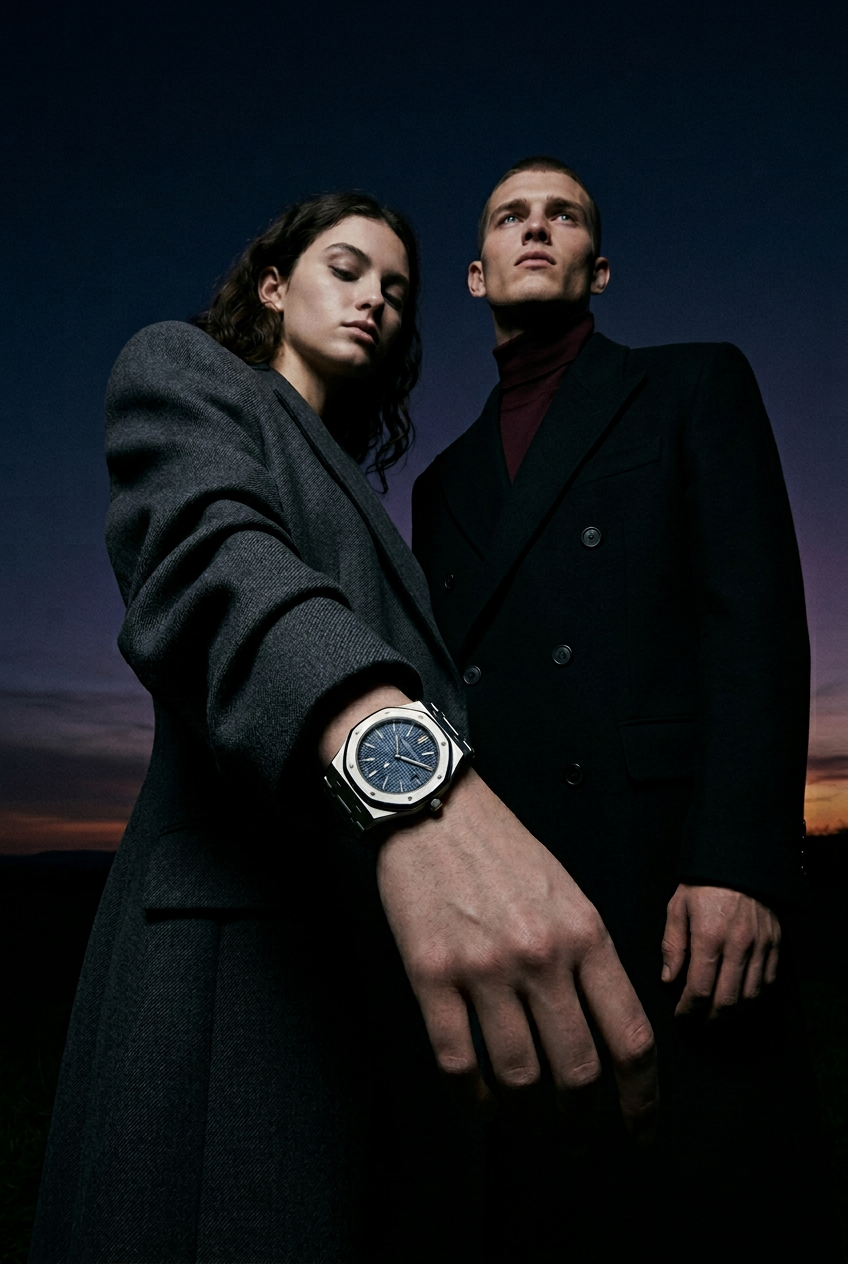
Create high-end editorial fashion campaigns with an intimate, dual-model composition. It renders hyper-realistic skin textures and sharp details, giving your brand that expensive, magazine-ready aesthetic.
Regenerate using your own assets.
Workflow code: #myup-yohv-gikw
Luxury Fashion Editorial Campaign
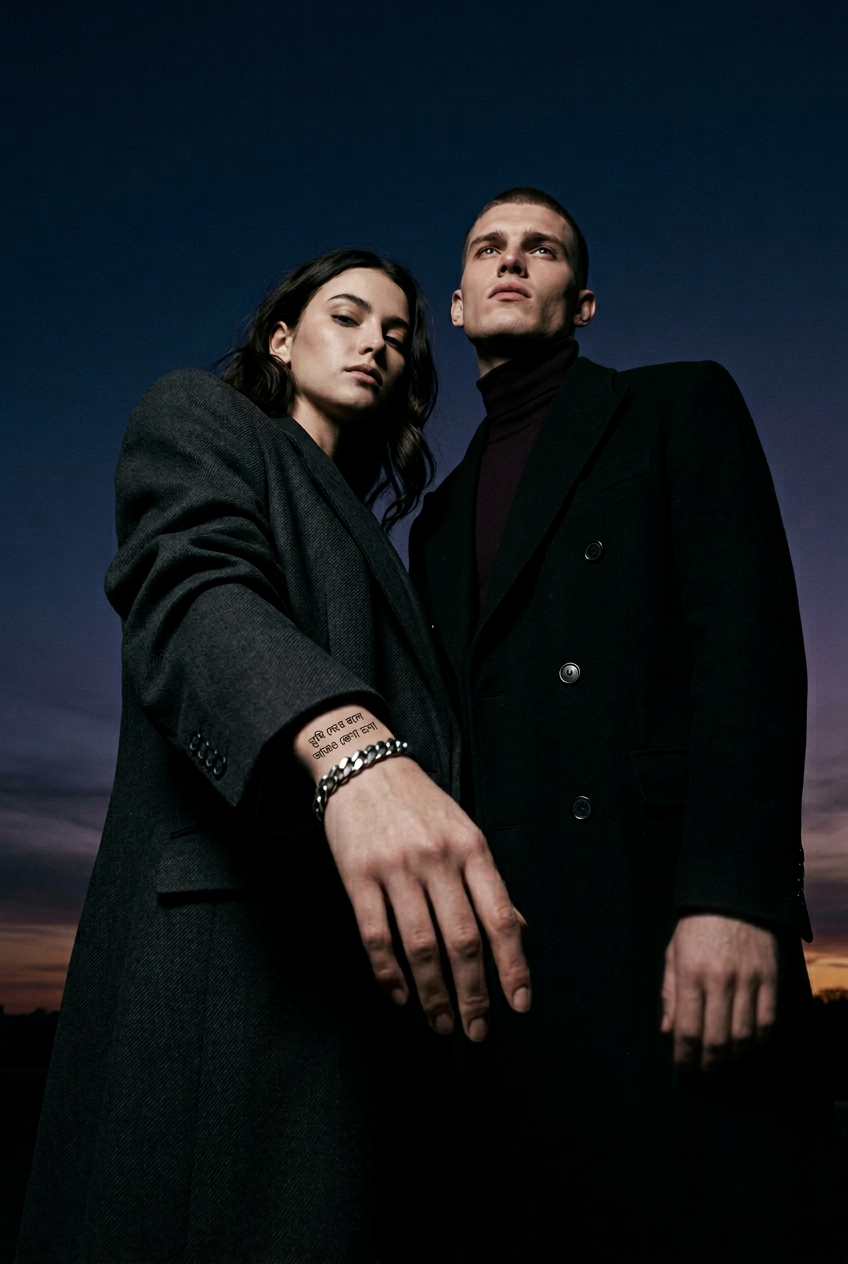
Get that high-end, intimate editorial look for your apparel or luxury brand. It places realistic models in stunning campaign compositions with sharp skin textures and natural lighting that look straight out of a glossy fashion magazine.
Regenerate using your own assets.
Step 2: Generate supporting visuals that match your hero shot
With your hero shot established, the next step is to create the supporting product visuals. This is where single generators completely break down. How do you tell a new tool to replicate the exact 'warm afternoon light' from your first image? You can't. But a workflow can.
In MyUP, you can chain steps together. The visual style defined in Step 1 becomes an input for Step 2. You can now run a new generation for a flat lay or a close-up detail shot, and the workflow will automatically apply the same stylistic parameters. MyUP handles the production; you simply validate the output. The result is a set of images that look like they belong together because they were created from the same digital DNA. This is how you build a professional AI photo workflow that moves beyond single shots.
For a stylized product-only shot that maintains your campaign's aesthetic, a dedicated editorial template is the right tool.
Workflow code: #myup-5q78-bln0
Luxury Floral Product Editorial
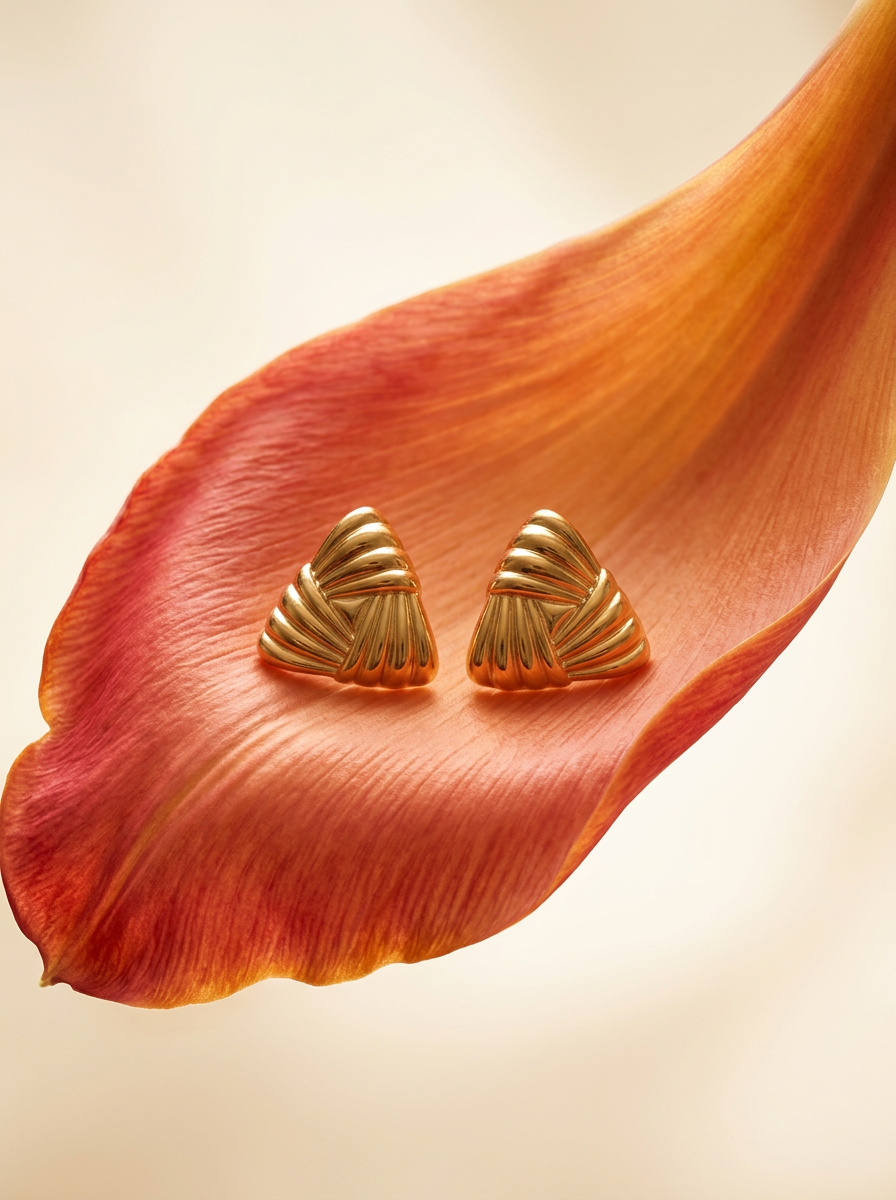
Place any product in an ultra-minimalist, warm studio space. It wraps your item in a seamless cream and beige backdrop with a super soft bokeh that melts away, making the details pop. It’s perfect for giving goods a clean, high-end look.
Regenerate using your own assets.
Step 3: Turn your mockups into ready-to-publish social posts
The final step is turning your new, consistent mockups into assets ready for distribution. This 'last mile' of production—resizing for different platforms, adding text overlays, applying brand fonts—is tedious and time-consuming. A complete workflow automates this, too.
The last step in your MyUP workflow can take the approved images from the previous steps and automatically place them into your pre-designed social media templates. Your logo and brand fonts, stored in your Brandkit, are applied automatically. In minutes, you go from a product idea to a complete set of campaign assets: a hero shot, a product detail shot, and a week's worth of Instagram posts, all perfectly consistent.
This final step closes the loop, turning your generation process into a full production system. The Brand Clothes Post template is designed to do exactly this.
Workflow code: #myup-3sro-edbt
Brand Clothes Post

Turn any outfit photo into a high-end fashion promo poster. It centers your subject in a full-body shot against a dark, dramatic studio backdrop, perfectly cropped for social feeds. It gives your apparel a moody, editorial look instantly.
Regenerate using your own assets.
Why a workflow beats a 'brand style' feature every time
Recently, some tools like Krea AI have introduced 'Brand Styles' features, which let you upload assets to influence the style of an image. It's a good first step and a clear sign that the market is realizing brand consistency is a major problem. But a static style is not a workflow.
A 'brand style' helps you make one image look right. A workflow helps you produce an entire campaign. It's the difference between having a color palette and having an automated assembly line. A workflow can have multiple steps with different logic at each stage—generate a model, then generate a product shot in the same light, then place both into a carousel template. It automates the sequence of production, not just the look of a single frame. While other tools are focused on styling an image, MyUP is focused on automating your entire content creation process, from generating packaging mockups to creating full campaigns.
Ultimately, the goal isn't just to get an AI to create on-brand images. It's to build a system where you can launch products faster and more consistently, giving you back the time to focus on creative direction, not repetitive production tasks.
