You have the idea for a killer merch line. You’ve seen the AI t-shirt design generators that can spin up endless graphics. The promise is intoxicating: a full print-on-demand store, launched in a weekend. But when you try it, the reality is a folder of images that look like they came from a dozen different artists. The epic, gritty skull design has nothing in common with the cute, retro cat. The visual style drifts with every new prompt. Your collection looks less like a cohesive brand and more like a random garage sale.
This is the core failure of most AI art tools for serious creators. As recent viral threads on X and Reddit show, achieving consistency often requires a painfully complex, multi-tool workflow involving Midjourney, custom LoRAs, and expert-level Photoshop skills. Generating one image is easy; building a brand is hard. This is the production bottleneck that MyUP.ai is built to solve. Instead of juggling tools, you need an integrated workflow that turns your unique vision into a scalable, consistent collection. Here's how it works.
Step 1: Define your collection's DNA in a Brandkit
Before you generate a single T-shirt design, you need to teach the AI what your brand looks like. This is the most critical step, and it's where most creators go wrong by jumping straight to prompting. In MyUP.ai, you do this by building a Brandkit. This isn’t just a place to upload your logo; it’s a set of creative instructions that will govern your entire collection.
For a merch line, your Brandkit should define your signature style. You can do this by uploading 5-10 reference images that capture the aesthetic you're aiming for. Is it vintage band tees from the 80s? Clean, minimalist line art? A Y2K-inspired scrapbook look? The images you choose become the visual foundation. The AI learns the textures, color grading, line weight, and overall mood from these examples. You also add your specific brand colors and fonts. This is the human control step: you provide the creative direction, and MyUP provides the engine to execute it. This upfront work is what prevents 'style drift' and ensures every design feels like it belongs to the same family.
Step 2: Generate dozens of on-brand design variations
With your Brandkit established, you can now generate an entire collection of graphics at scale. The key is to use a workflow that is locked to your Brandkit's style. This means you can run the same workflow with dozens of different text prompts, and every single output will share the same visual DNA you defined in Step 1.
For example, let's say your Brandkit is built around a retro, Y2K collage aesthetic. You can use a workflow to generate variations based on different themes:
- A graphic for a T-shirt with the theme 'retro personal computer'.
- A graphic for a T-shirt with the theme 'a wolf howling at a pixelated moon'.
- A graphic for a T-shirt with the theme 'a blooming rose made of circuit boards'.
Each prompt will produce a unique design, but the Brandkit ensures they all share the same collage elements, color palette, and distressed textures. You are no longer generating random images; you are directing a brand-aware designer. MyUP handles the production; you validate the creative choices. To get started with this kind of batch creation, the Y2K Scrapbook Collage Creator is the perfect template.
Workflow code: #myup-sacz-tjdn
Y2K Scrapbook Collage Creator
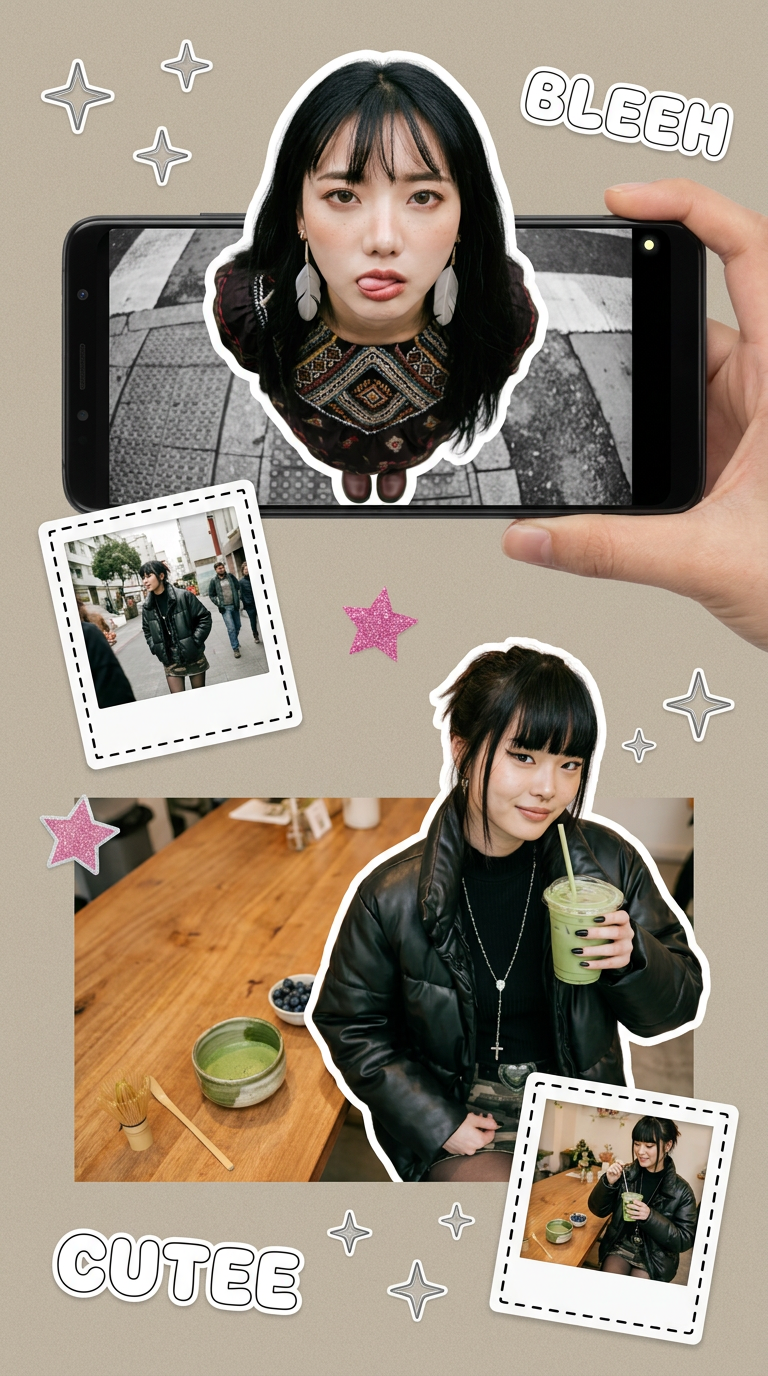
Put two different people into the same scene without losing their real-world features. Just upload two portraits and drop them together into any setting or style you need. It keeps both faces incredibly accurate.
Regenerate using your own assets.
Step 3: Create consistent mockups for your entire product line
Generating the graphics is only half the battle. To sell your merch, you need to show it on actual products. This is another point where consistency breaks down. Manually placing designs onto T-shirt or hoodie templates in Photoshop is slow and prone to error. It's difficult to maintain the same lighting, perspective, and fabric texture across an entire collection.
An integrated workflow solves this production bottleneck. On MyUP.ai, you can move directly from design generation to mockup creation. Workflows can take the on-brand graphics you just created and automatically apply them to a range of apparel mockups. Because it's part of the same system, the visual cohesion is maintained. You can generate a grid of ten different T-shirt designs that all look like they were photographed in the same professional studio session. The Brand Clothes Post workflow is designed for exactly this purpose, turning your approved graphics into ready-to-post product shots in a single step.
Workflow code: #myup-3sro-edbt
Brand Clothes Post

Turn any outfit photo into a high-end fashion promo poster. It centers your subject in a full-body shot against a dark, dramatic studio backdrop, perfectly cropped for social feeds. It gives your apparel a moody, editorial look instantly.
Regenerate using your own assets.
Step 4: Go beyond the T-shirt with stickers and social posts
A strong merchandise line is more than just T-shirts. It’s a full brand ecosystem that includes other items like stickers, hats, and totes, plus all the social media content needed to promote them. Your Brandkit is the key to keeping this entire world visually consistent. The same style rules that governed your apparel designs can be applied to everything else.
For example, creating a sheet of die-cut stickers is a common next step for a merch launch. Instead of starting from scratch, you can run a workflow in MyUP.ai that uses your existing Brandkit to generate sticker designs that perfectly match your T-shirts. This ensures a customer who buys a shirt and a sticker gets a consistent brand experience. The Product Stickers workflow allows you to quickly expand your product catalog while maintaining the visual integrity you established from the start.
Workflow code: #myup-swqt-4zo3
Product Stickers

Turn your logo into a nostalgic, vibrant Y2K-style vertical ad. It automatically pulls your brand colors to create matching sweet treats like custom donuts or cupcakes in the background, giving you a super playful retro-pop aesthetic.
Regenerate using your own assets.
Your merch line is a brand, not just a folder of images
Generating one-off AI images is a solved problem. The real challenge for creators and brands is building a visual system that can scale. A successful merch collection feels intentional and professional, which is impossible when every design is a stylistic island. By shifting from a simple AI t-shirt design generator to a Brandkit-powered workflow on MyUP.ai, you move from creating random assets to building a real brand. You define your unique creative vision once, and then use automated workflows to produce an entire, consistent collection that’s ready for market.
