If you felt a sense of validation watching marketers across LinkedIn vent their frustration on July 20, 2026, you're not just imagining it. The consensus is clear: popular AI meme generators are terrible for brands. They force your ideas into generic templates, ignore your fonts, butcher your color palette, and make your content look like everyone else's.
The problem isn't your meme idea; it's the tool. You need more than a text box slapped on a stock image. You need a system that treats memes like what they are: valuable marketing assets. This guide lays out the exact workflow in MyUP.ai to stop using off-the-shelf formats and start producing on-brand, ownable memes that build your brand instead of diluting it.
The real problem: you're renting templates, not building assets
Using a standard meme generator is like renting a costume. You can join the party, but you're doing it in someone else's clothes. The Distracted Boyfriend or Woman Yelling at a Cat formats are recognizable, but they aren't yours. Every time you use one, you're building recognition for the meme, not your brand.
This is the fundamental failure of template-based tools. They offer speed at the cost of identity. A real brand tool does the opposite: it uses your established identity to create assets at speed. The goal isn't just to make one funny image. It's to build a repeatable system where every piece of reactive content, no matter how informal, reinforces your brand's unique visual language. In MyUP.ai, this starts by moving beyond generic backgrounds and creating a world that is distinctly yours.
Step 1: Create a unique visual world for your memes
Instead of searching for a pre-made template that vaguely fits your joke, generate a custom scene that embodies your brand's aesthetic. Is your brand edgy and chaotic, or clean and minimalist? Does it feel like a vintage photograph or a futuristic render? With MyUP, you can define and create this visual world from a simple prompt.
This doesn't just make your memes look better; it makes them ownable. When your audience sees a meme set against your signature gradient, inside your brand's illustrated universe, or within a specific photographic style, they know it's from you before they even read the text. This builds a cohesive feed and turns throwaway jokes into brand-building assets.
For example, you can build a workflow that generates images with a specific analog, cut-and-paste collage aesthetic every single time. The AI handles the production; you just provide the concept. This template is a great starting point for building a distinct visual style.
Workflow code: #myup-sacz-tjdn
Y2K Scrapbook Collage Creator
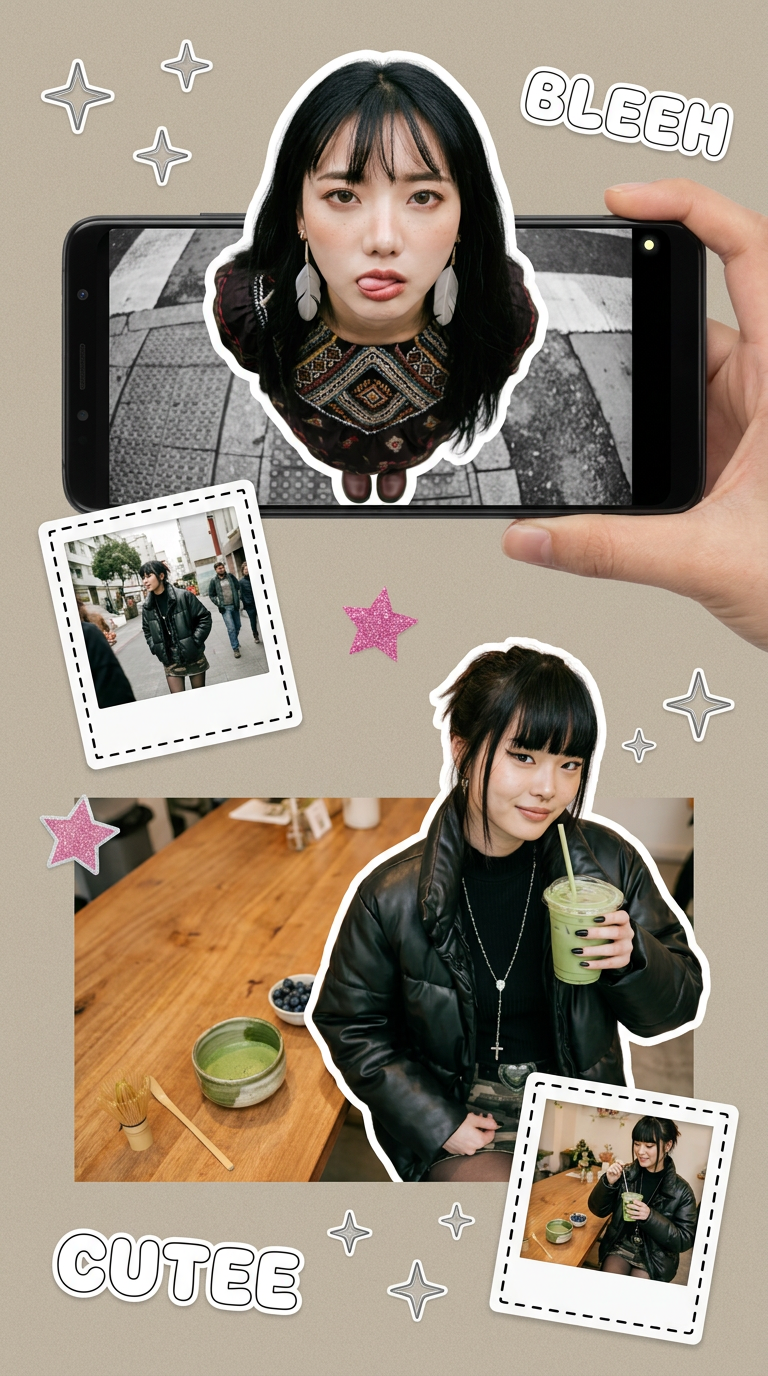
Put two different people into the same scene without losing their real-world features. Just upload two portraits and drop them together into any setting or style you need. It keeps both faces incredibly accurate.
Regenerate using your own assets.
Step 2: Apply your brand identity in one click
Once you have a unique background, the next failure point of generic tools is text and color. You waste time trying to find a font that's 'close enough' or using a color picker to eyeball your brand's hex codes. It's a manual, imprecise process that professional brands can't afford.
This is where MyUP's Brandkit changes the entire equation. After setting it up once by simply providing your website URL, MyUP saves your brand's exact fonts, colors, and logos. From that point on, applying your brand identity is automatic. When you generate your custom meme scene, the Brandkit overlays your text in the right font and colors without you doing any manual work.
The workflow is simple: you approve the visual concept and type the text. MyUP handles the production, ensuring perfect brand alignment every time. You move from creator to creative director, validating the output instead of wrestling with the tools.
Step 3 (The Pro Move): Give your brand a meme-able character
The ultimate move away from generic templates is to create your own. The most ownable format isn't just a custom background; it's a recurring character or mascot that becomes synonymous with your brand's voice. Think of a friendly robot for a tech company or a wise owl for an education platform. When you have a consistent character, you can place them in any situation to react to trends, explain concepts, or tell stories.
This used to be impossible with AI, which famously struggles with character consistency. But with the right workflow, you can create a character model sheet that you can reference in your prompts to generate your mascot in different poses and scenarios. This gives you an infinite supply of unique, on-brand meme formats that no competitor can copy.
Once you have your character, you can use stylized workflows to frame them in social posts that grab attention and reinforce your brand's unique aesthetic.
Workflow code: #myup-msop-hlxf
Retro Zine Style Event Poster

Give your social posts a gritty, analog zine aesthetic. It layers a crumpled paper texture and a subtle grid over a warm cream background to make any event graphic look like a tactile, photocopied flyer. Perfect for DIY gigs and bold promos.
Regenerate using your own assets.
Your new workflow: from timely idea to on-brand meme in minutes
Putting it all together, you now have a professional system for meme marketing. When a new trend breaks, you don't rush to a generic generator. Instead, you run your MyUP workflow:
- Ideate: Come up with the core joke or message.
- Generate: Use a workflow to create a custom scene, perhaps featuring your brand character.
- Brand: MyUP automatically applies your Brandkit's fonts and colors to the text.
- Publish: Export a high-quality, perfectly on-brand asset in minutes.
This process is not only faster than the manual workarounds you were using before, but the output is infinitely more valuable. You're no longer just participating in culture; you're shaping how your brand appears within it. For a truly efficient process, you can even build simple, repeatable workflows like this one for daily text-based posts that maintain a high-end, branded feel.
Workflow code: #myup-6hp6-zwh2
Minimalist Hand-Lettered Food Brand Poster
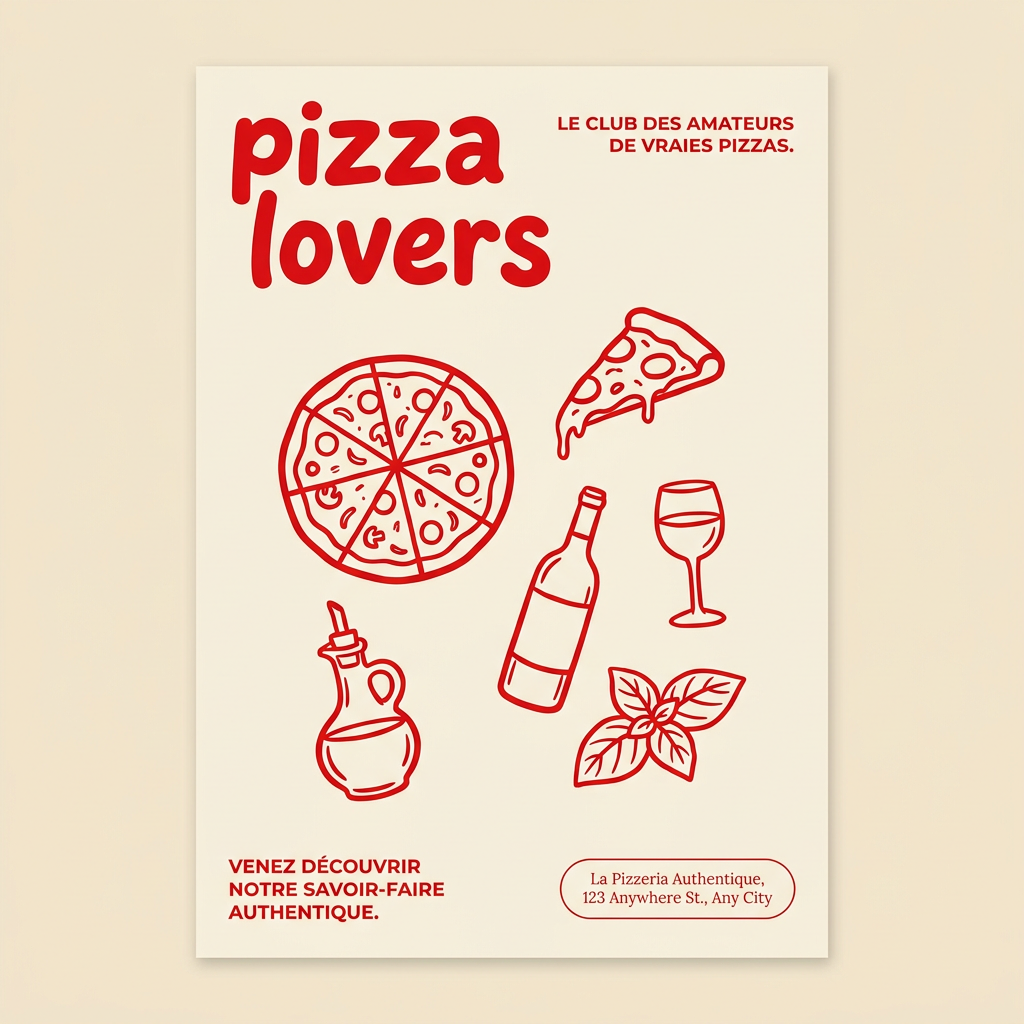
Generate clean, minimal posters for your food brand or cafe. It sets up a soft cream background with tons of breathing room, contrasted by a bold, chunky handwritten title in vivid red. It's a gorgeous editorial layout that makes your brand look instantly high-end.
Regenerate using your own assets.
This is the difference between a generic meme maker and a true branded meme generator. One is a toy for making disposable jokes; the other is a professional tool for building a memorable brand.
