The problem with a one-trick pony AI logo
The initial excitement of generating a logo with AI is understandable. In seconds, you can have a visually appealing mark. But in the real world of branding, one size rarely fits all. That single, perfect image you generated is likely optimized for one specific context—perhaps a website header or a social media profile. Try to stretch it to a favicon, shrink it for an app icon, or embed it in a busy ad, and you'll quickly discover its limitations.
Different applications demand different logo formats: an icon-only version for small spaces, a horizontal lockup for banners, a vertical lockup for specific layouts, and simplified monochrome versions for print or specific color schemes. Without these variations, your brand identity fragments, appearing inconsistent and unprofessional. It's a common frustration, highlighted in recent Reddit discussions where users grapple with maintaining AI consistency for brand elements. While new tools like Flux AI's 'Style Reference' (released June 26, 2026) attempt to address this by allowing style uploads, they often require manual intervention for each new asset. MyUP.ai offers a more integrated and automated approach to solve this fundamental branding challenge.
Building your AI logo system: the MyUP Brandkit foundation
The foundation of a truly flexible AI logo system lies in centralizing your brand's visual identity. On MyUP.ai, this is precisely what the Brandkit does. Instead of treating your core AI-generated logo as a standalone image, you save it within your Brandkit. This isn't just a file storage; it's a dynamic repository that captures your logo, its precise color palette, preferred typography, and overall visual style. Once established, your Brandkit acts as the single source of truth for all subsequent AI-generated content.
This systematic approach contrasts sharply with more fragmented methods offered by other tools. While platforms like Adobe Firefly are expanding their AI capabilities for logo integration, MyUP's Brandkit ensures that every new logo variation or marketing asset you create automatically adheres to your defined brand guidelines. It eliminates the tedious manual adjustments and ensures consistency across all your creative outputs. Think of it as building a robust brand DNA that MyUP's AI can then intelligently apply and adapt.
Step 1: Generating core logo variations (icon, wordmark, lockups)
With your core logo established in the MyUP Brandkit, the next step is to systematically generate the essential variations. MyUP's workflows are designed to take your saved brand elements and re-render them in specific compositions and aspect ratios while maintaining perfect consistency. This means you can generate:
- Icon-only versions: For avatars, favicons, or minimal branding.
- Wordmark-only versions: The text portion of your logo, useful when the icon is already present or for specific typographic treatments.
- Horizontal lockups: Your logo and wordmark arranged side-by-side, ideal for headers, banners, or wide applications.
- Vertical lockups: Your logo and wordmark stacked, suited for narrow spaces or specific layouts.
- Simplified versions: Stripped-down versions for very small or complex backgrounds.
MyUP leverages advanced AI models, including those with improved text rendering like Stable Diffusion 3 Large Turbo (updated June 25, 2026), to ensure your wordmarks and textual elements remain crisp and legible in every variation. The process involves selecting your Brandkit, specifying the desired variation (e.g., 'icon only'), and letting MyUP generate the options. You then review, approve, and make any necessary adjustments, maintaining human control over the final output.
Step 2: Adapting for different visual styles and contexts
Beyond structural variations, your brand might require stylistic adaptations for specific campaigns or aesthetic needs. MyUP workflows allow you to generate these stylistic variations while ensuring they remain anchored to your core Brandkit. Imagine needing a retro-themed logo for a throwback campaign or a minimalist version for a sleek product launch. Instead of redesigning from scratch, MyUP can intelligently apply these styles.
For example, to adapt your logo for a vintage aesthetic, you can instruct MyUP to generate versions that incorporate textures, color shifts, or artistic treatments consistent with that style. The Brandkit ensures that even with these stylistic changes, the fundamental identity—colors, fonts, core shape—remains intact. This saves immense time compared to manual recreation or using disparate tools that might struggle with consistent style transfer.
To see how a logo can be integrated into a specific aesthetic, try this workflow:
Workflow code: #myup-sauf-5jod
Vintage Advertising Poster
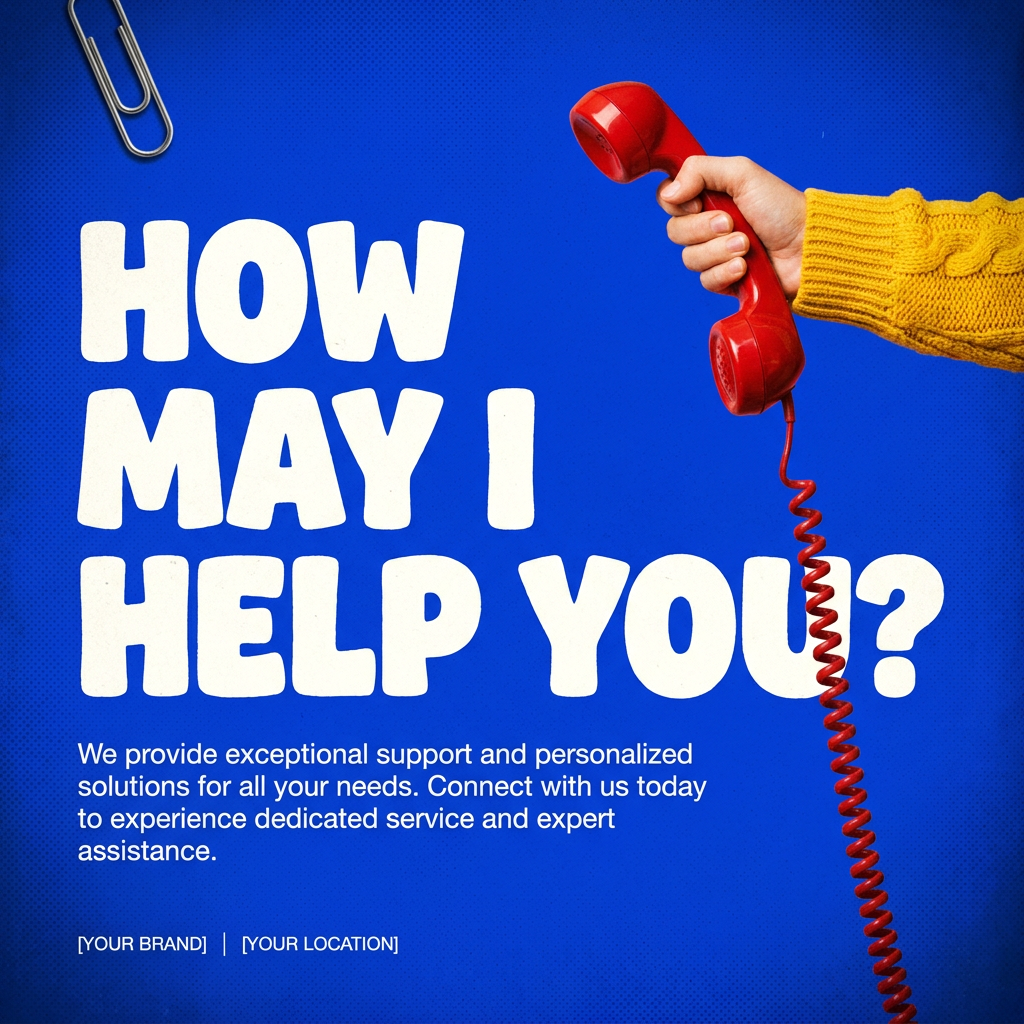
This creates high-impact graphic posters with a striking cobalt blue backdrop and subtle retro halftone textures. Just drop in your subject to get that bold, tactile look complete with realistic metallic accents and clean, modern framing.
Regenerate using your own assets.
Step 3: Applying logo variations to marketing assets with MyUP workflows
Having a full set of logo variations is only half the battle; applying them consistently across all your marketing assets is where MyUP truly shines. Our templates and automated workflows integrate directly with your Brandkit, making it effortless to select and apply the most appropriate logo lockup or style for any given material. Whether you're creating social media posts, advertising banners, or product mockups, MyUP ensures your brand looks unified and professional at scale.
Consider the efficiency gain: instead of manually resizing, recoloring, or adjusting your logo for each new graphic, MyUP's system does the heavy lifting. You simply choose a template, and your Brandkit's assets, including your logo variations, are automatically applied. This consistency is crucial for building brand recognition and trust. For example, to create a branded social media post:
Workflow code: #myup-kbgo-tlle
Product Brand Post

Drop in your product to generate a cohesive nine-post Instagram grid. It blends warm lifestyle photography and flat-lay packaging with bold hand-drawn doodles, collages, and urban billboard mockups. Everything automatically styles itself to your brand's colors.
Regenerate using your own assets.
Or for a product-focused ad:
Workflow code: #myup-sygb-rhnt
Minimalist Vertical Product Advertising Poster

Drop the clutter and put your product in the spotlight. This setup places your item against a pure, seamless white background with a striking vertical flow that draws the eye straight up. It's perfect for creating clean, high-end studio posters.
Regenerate using your own assets.
And for a specific vertical ad format:
Workflow code: #myup-fts6-4ihp
Vertical Gourmet French Fry Ad

Transform your products into high-fashion editorial ads. This setup uses a dynamic diagonal layout and a slightly tilted overhead angle to give food and packaging incredible depth and texture. It's perfect for giving any brand a chic, premium look.
Regenerate using your own assets.
Beyond logos: consistent branding across all AI content
The power of MyUP's Brandkit extends far beyond just logo variations. It provides a holistic solution for maintaining a unified visual identity across all your AI-generated content, including images, videos, and social posts. This is a critical differentiator in today's fast-evolving AI landscape. For instance, RunwayML recently introduced 'Brand Identity Lock' (June 25, 2026) for consistent elements in AI video, and a viral X.com thread today (June 26, 2026) showcased the high demand for consistent branding in AI-generated product mockups.
MyUP's system is built to address this broader need. By defining your brand's aesthetic once in the Brandkit, you ensure that every visual asset, whether it's a new product image, a short promotional video, or a series of social media graphics, automatically adheres to your brand's unique look and feel. This eliminates the 'random' or 'inconsistent' feel that often plagues AI-generated content produced with less integrated tools. It's about empowering you to produce a cohesive brand narrative, regardless of the content type.
For a deeper dive into establishing a foundational brand system with AI, explore our article: Most AI logo generators are a dead end. Here's the workflow for a real brand system.
Why MyUP is the complete solution for AI brand identity
MyUP.ai stands apart because it doesn't just generate single images; it helps you build a scalable, consistent brand identity system. While many AI tools can produce a logo, few offer the integrated workflows and Brandkit functionality to generate a comprehensive set of variations and apply them consistently across all your marketing materials.
Our platform empowers you with automated consistency, ensuring every asset aligns with your brand's visual DNA. You maintain human control throughout the process, validating and adjusting outputs to meet your exact vision. This level of efficiency and brand integrity is invaluable, saving you countless hours of manual design work and preventing the costly inconsistencies that can dilute your brand's message. MyUP is built for serious brand builders who understand that a logo is more than just an image; it's the cornerstone of a recognizable, trusted identity.
If you've ever struggled with inconsistent branding or the limitations of single-output AI generators, MyUP.ai provides the robust, workflow-driven solution you need.
Start building your flexible AI logo system today
Don't let your AI logo be a one-trick pony. Transform it into a versatile, consistent brand system that works across every platform and application. With MyUP.ai's Brandkit and powerful workflows, you can generate all the necessary logo variations and apply them with unparalleled ease and consistency.
Ready to elevate your brand's visual identity? Create an account on MyUP.ai today and experience the difference a truly integrated AI branding platform can make. Your consistent brand awaits.
