In the last 48 hours, you've probably seen 'AI logo animation' everywhere. With new tools like Logo Motion from Runway and animation updates from Canva both launching around June 25, 2026, what used to require an After Effects expert is now a task for AI. Google Trends shows search interest has gone from zero to 'breakout' overnight.
But this speed creates a new problem: how do you get a result that looks professional and not like a generic, one-click template? How do you create motion that feels true to your brand? Here’s the workflow.
Suddenly, everyone is animating their logos with AI
The recent tool launches have made logo animation accessible, but they've also created a sea of sameness. Template-based tools give you a pre-set effect that thousands of other brands are also using. Standalone, single-purpose tools force you to constantly upload your assets, breaking your creative flow.
A professional result requires more than just automation; it requires control and integration. You need a system that already knows your brand's visual identity and allows you to guide the AI, not just click a button. This is the core difference between a generic effect and a true brand asset. The goal isn't just to make your logo move; it's to make it move in a way that reinforces your brand's personality—be it subtle and sophisticated or bold and energetic.
The simple workflow for a professional AI logo animation
On MyUP.ai, animating your logo isn't a separate, disconnected task. It's an integrated part of your brand content system. Because MyUP is built around your Brandkit—where your logo, colors, and fonts are already stored—the process is incredibly efficient and inherently on-brand.
Here is the step-by-step process:
- Select your logo from your Brandkit. There's no need to search for files or upload assets. Your primary logo is already in MyUP, ready to be used. This ensures you're always working with the correct, high-resolution version.
- Use the image-to-video tool. This is the core AI engine that will generate the motion. You start with your static logo image as the input.
- Provide a simple text prompt. This is where you have creative control. Instead of picking a template, you describe the motion you want. You direct the AI to produce a result that fits your brand's style. MyUP executes the production; you validate the creative direction.
- Review and download. The AI will generate a short video file (MP4 or GIF) of your animated logo. You can review the output, adjust the prompt for a different result, and download the version that works best.
Prompt examples for clean, subtle motion
The quality of your animated logo depends entirely on your prompt. Often, less is more. A subtle, clean animation looks far more professional than a flashy, over-the-top effect. Here are a few practical prompts you can use directly in MyUP to get started.
For a gentle pulse:
subtle pulsing glow, slow and cinematic, soft light emanating from the center
For a clean light sweep:
a clean, white light sweep passes over the logo from left to right, elegant and minimal
For a slow reveal:
logo slowly fades in from black with a soft, ethereal shimmer effect
For a subtle zoom:
very slow, smooth zoom in on the logo, with a slight shimmering aura
Experiment with these as a starting point. The key is to use descriptive words that match your brand's tone—'elegant', 'energetic', 'minimal', 'tech-focused'—to guide the AI toward the right aesthetic.
You have an animated logo. Now put it to work.
An animated logo isn't just a static asset; it's a critical component of your video content strategy. It serves as a professional bookend—an intro (stinger) or outro—that reinforces your brand identity in every video you publish. Having this asset readily available on the same platform where you create your other content is the key to production speed.
Now that you have your MP4 or GIF file, you can immediately use it within MyUP's other video workflows. For example, you can drop it into the beginning of a social media ad or at the end of a podcast audiogram. This creates a cohesive, professional look across all your video content.
Use these workflows to instantly apply your new animated logo to a complete video project:
Workflow code: #myup-u4lt-o0ho
Studio Product Ad

Drop in a single product photo to instantly build a cohesive visual identity. It automatically samples your item's dominant colors to generate a beautifully matched mosaic moodboard, giving your brand an instant, polished aesthetic.
Regenerate using your own assets.
Workflow code: #myup-kbgo-tlle
Product Brand Post

Drop in your product to generate a cohesive nine-post Instagram grid. It blends warm lifestyle photography and flat-lay packaging with bold hand-drawn doodles, collages, and urban billboard mockups. Everything automatically styles itself to your brand's colors.
Regenerate using your own assets.
Workflow code: #myup-w0vh-abft
Food Product Ad
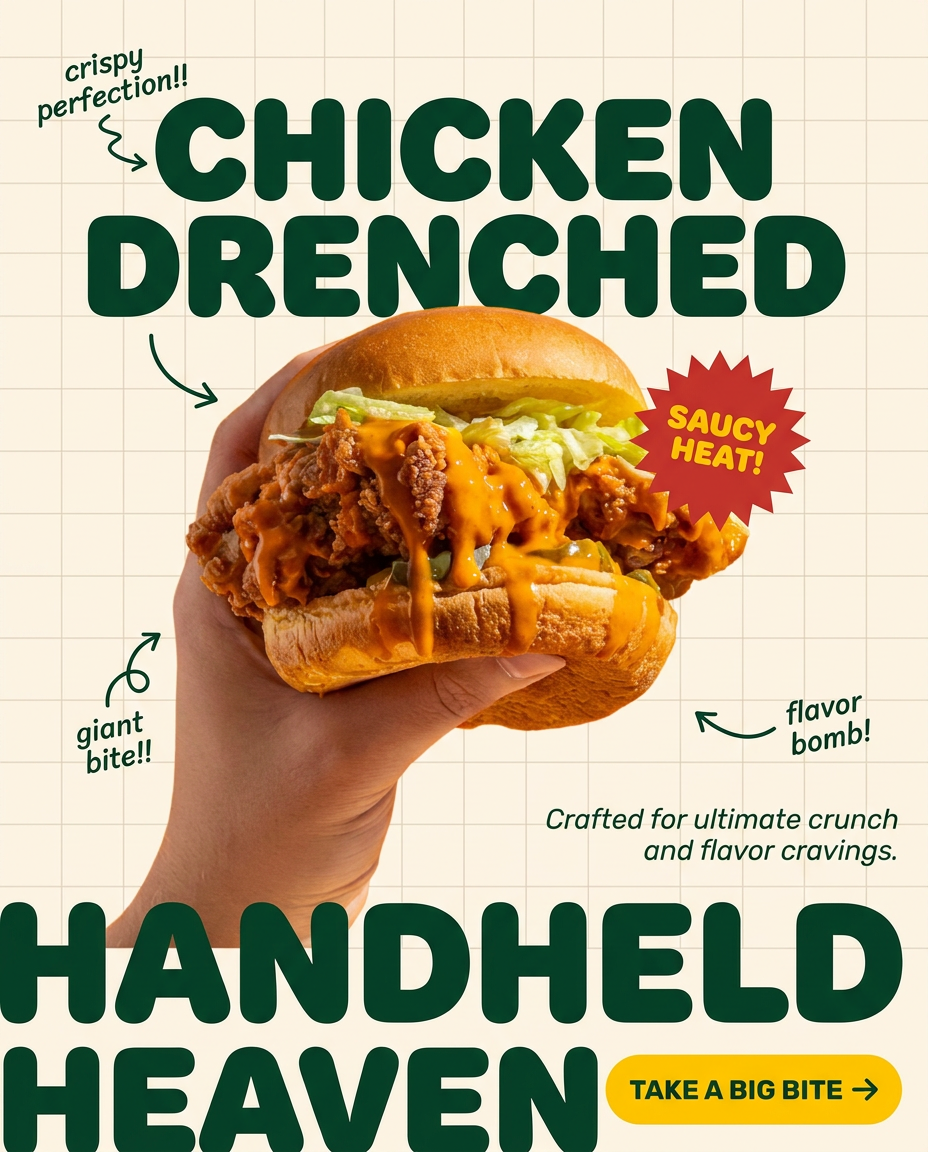
Turn any dish or snack into a bold, playful social ad. It places your food against a soft warm beige background with a subtle grid pattern, topped with chunky rounded headlines. It's clean, friendly, and instantly grabs attention in the feed.
Regenerate using your own assets.
By integrating your new animated logo into templates like these, you're not just creating a one-off asset; you're building a scalable system for producing on-brand video content like dynamic short-form ads or engaging podcast clips.
Control, not just automation
The explosion of AI animation tools is exciting, but it also highlights the importance of creative control. Automation gets the job done, but a workflow-based platform like MyUP ensures the job gets done right—and on-brand. By connecting a powerful image-to-video model directly to your established Brandkit, you get the best of both worlds: the speed of AI and the creative consistency your brand deserves.
Ready to create an animated logo that stands out? Create a free MyUP account and try the workflow yourself.
