
You’ve spent hours wrestling with prompts. You’ve generated a perfect image of your main character, Leo the Lion, looking brave and curious. Then you try to put him in a new scene, and suddenly he has different eyes, a shorter mane, or an entirely new art style. You’re not alone. As of July 2026, the internet is filled with complex workarounds for AI character consistency, from multi-step Midjourney `--cref` hacks on Reddit to excitement over new but limited features like Flux's 'Character Lock'.
These are signs of a universal problem: you can't tell a story with characters who change on every page. The inconsistencies break the narrative illusion and turn a creative project into a frustrating game of chance. The solution isn't a magic prompt or a single feature. It's a professional workflow. This guide will walk you through the exact process to achieve perfect character consistency for your children's book illustrations, using a system that gives you control and repeatability.
Step 1: Create your master character sheet
Before you can illustrate a single page, you need to define your character. In professional animation and illustration, this is done with a character sheet or model sheet. It’s the single source of truth that ensures a character looks the same no matter who is drawing them or from what angle. With AI, this concept is even more critical.
A character sheet isn't just one good image; it's a set of reference images that define the character's core features. You will use these as the foundation for every future generation. In MyUP.ai, you can generate these key assets with a few simple prompts.
Your goal is to create a small set of clean, definitive images. Generate the following views:
- A neutral, front-facing portrait: This is your primary reference.
- A side profile (left and right): Essential for showing the character interacting with their world.
- A 3/4 view: This adds depth and captures the character's features from a common narrative angle.
- Key expressions: Generate close-ups of your character looking happy, sad, surprised, and angry. Keep the prompts simple to focus on the emotion (e.g., "Leo the Lion, happy expression, close up, plain background").
The key here is to keep the style and background minimal. You are capturing the character's identity, not the style of the book just yet. Think of this as sculpting the clay before you paint it.
Step 2: Build your character's visual world with a MyUP Brandkit
This is where you separate the 'who' from the 'how'. Your character's design is distinct from the book's overall illustration style. A common mistake is trying to bake both into one massive prompt. This leads to inconsistency. The professional approach is to manage them as separate elements, and MyUP's Brandkit is built for this.
A Brandkit is a container for a visual identity. While often used for logos and corporate colors, you can create one specifically for your book's character and style. Here’s how:
- Create a new Brandkit in MyUP.ai and name it after your character (e.g., "Leo the Lion - Storybook").
- Upload your character sheet images. Add the front, side, and 3/4 views you generated in Step 1. MyUP will now use these as a constant visual reference for Leo's identity.
- Define the illustration style. This is where you establish the look and feel of the book. Don't just describe it in a prompt; codify it. Add your color palette (e.g., warm yellows, soft blues, forest greens). Define stylistic elements by uploading reference images or using descriptive prompts that capture the texture, line weight, and medium (e.g., "gentle watercolor style with soft edges," "flat vector illustration with bold outlines"). This is similar to the process of training an AI on a specific art style, but contained within a reusable kit.
By creating this Character Brandkit, you've told MyUP: "This is what Leo looks like, and this is what his world looks like." Now, you can place him in any scene without having to redefine him every single time.
Step 3: The repeatable workflow for infinite scenes
With your character sheet and style defined in a Brandkit, you no longer need to write complex, multi-line prompts. You can build a simple, repeatable workflow in MyUP that does the heavy lifting, leaving you to focus on the most important part: the story.
A MyUP workflow is a series of automated steps. For this task, it's incredibly simple:
- Start a new workflow in MyUP.ai.
- Add an 'AI Image Generation' step.
- In the settings for this step, select your "Leo the Lion - Storybook" Brandkit. This single action tells the AI to adhere to your character's appearance and the book's illustration style for every image it generates.
- For the prompt, you only need to describe the scene. That’s it.
Instead of a prompt like: "A cute lion named Leo with a fluffy brown mane, big amber eyes, wearing a small red scarf, in the style of a children's watercolor book with soft edges, standing in a sunny forest..."
Your prompt becomes: "Leo the Lion standing in a sunny forest."
The workflow automatically pulls Leo's appearance and the watercolor style from the Brandkit. You can now generate dozens of illustrations for your book by just changing the scene description. Leo in his bedroom. Leo on a boat. Leo meeting a friendly squirrel. He remains perfectly on-model, every time. The user—you—provides the narrative direction; MyUP handles the production.
Step 4: Directing your character: poses, emotions, and interactions
A consistent character is great, but a static one is boring. Your character needs to live, act, and feel within the story. Because your workflow has locked in the character's identity, you can now use the prompt to direct their performance with much greater reliability.
Within your established workflow, simply adjust the scene description to include actions and emotions:
- "Leo the Lion laughing while chasing a butterfly."
- "A sad Leo the Lion sitting under a willow tree in the rain."
- "Leo the Lion and a friendly squirrel sharing an acorn."
The Brandkit anchors the character's core identity, preventing the AI from drifting off-model when you introduce new poses or expressions. You have the creative control to direct the story, and you can trust the system to maintain visual continuity. You can even use this system to create stylized page layouts or collages that tell a mini-story about your character's personality.
For example, this workflow can help you generate a scrapbook-style page showing off your character's adventures.
Workflow code: #myup-sacz-tjdn
Y2K Scrapbook Collage Creator
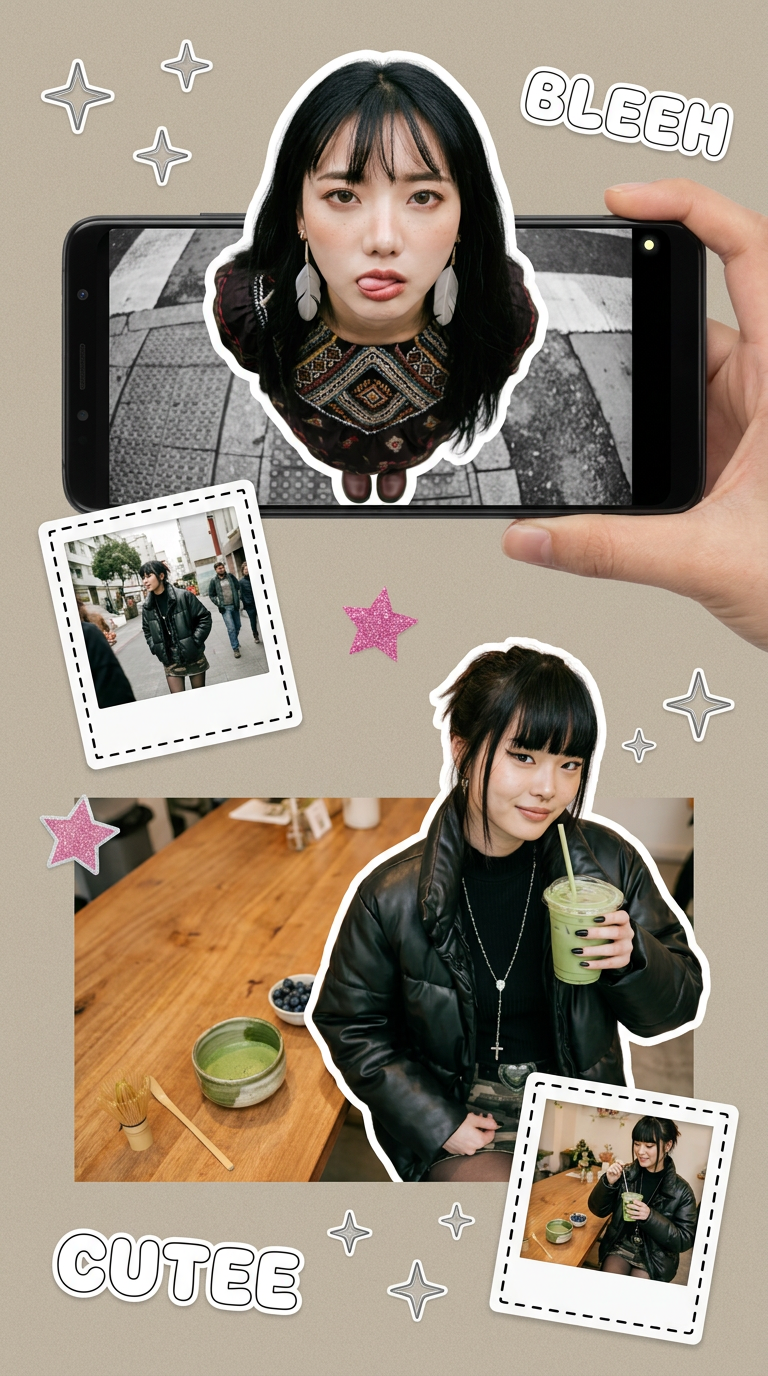
Put two different people into the same scene without losing their real-world features. Just upload two portraits and drop them together into any setting or style you need. It keeps both faces incredibly accurate.
Regenerate using your own assets.
Beyond the book: Using your character for marketing and promotion
Your character doesn't just live in the pages of the book. They are the face of your project. The beauty of a workflow-based system is that your Character Brandkit is a reusable asset for all your content needs. You don't need to start from scratch to create promotional materials.
Need to announce the book launch on social media? Use the same Brandkit with a social post template. Want to create a poster for a local book reading? Apply the Brandkit to a poster workflow. The character's appearance and the book's signature style remain perfectly consistent across every touchpoint, from the story itself to the marketing campaign that supports it.
This is something standalone image generators simply cannot do. A creative system built on MyUP ensures your character is always on-model and your project is always on-brand, no matter the final format. Try using your Character Brandkit with these templates to create a vintage-style event poster or a minimalist announcement post.
Workflow code: #myup-3xus-3l9x
Vintage Risograph Event Poster

Turn any announcement into a gritty, tactile gig poster. It layers your text with an uneven letterpress ink texture over a dusty, warm pink risograph paper background. It’s perfect for giving social posts a real analog, screenprinted vibe.
Regenerate using your own assets.
Workflow code: #myup-6hp6-zwh2
Minimalist Hand-Lettered Food Brand Poster
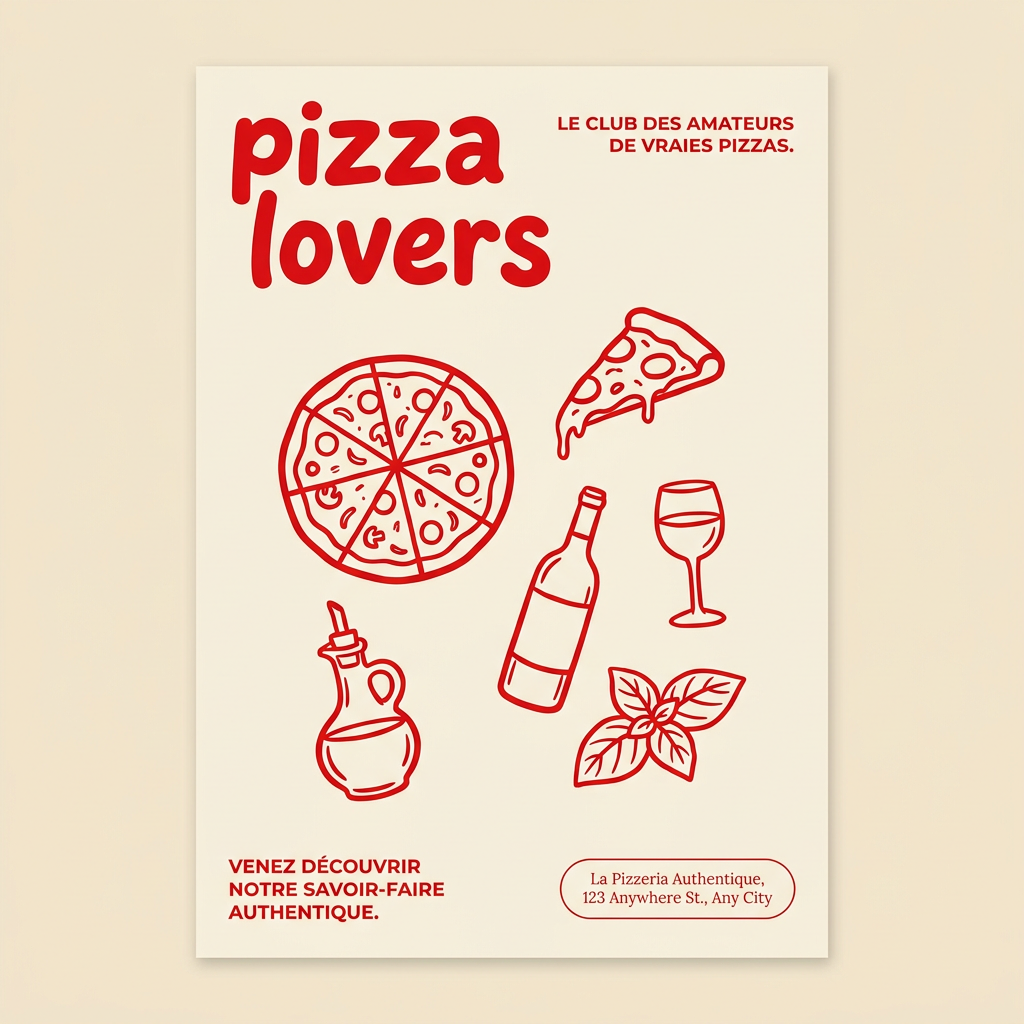
Generate clean, minimal posters for your food brand or cafe. It sets up a soft cream background with tons of breathing room, contrasted by a bold, chunky handwritten title in vivid red. It's a gorgeous editorial layout that makes your brand look instantly high-end.
Regenerate using your own assets.
A workflow, not a workaround
Achieving AI character consistency isn't about finding the perfect seed number or prompt hack. It's about adopting a professional creative process. By separating the character's identity from the illustration style and managing both within a reusable Brandkit and workflow, you gain the control and reliability that narrative projects demand.
This systematic approach, central to MyUP.ai, is the difference between hoping for a lucky generation and directing a predictable production. It allows you to focus on storytelling, confident that your characters will be there with you, looking exactly as they should, on every single page. It's the same principle that applies to creating a consistent AI comic strip or generating a full set of on-brand product photos—a structured workflow delivers professional results.
