On July 4th, 2026, the AI world collectively held its breath. Midjourney began teasing 'Style Stages' for its upcoming V7 model, a feature aimed directly at the single biggest frustration for brand creators: consistency. A day later, Luma AI launched 'Character Lock' for video. The message is clear: the most advanced AI models on the planet are just now catching up to the problem you face every day. Getting your AI-generated character to look the same twice is a nightmare.
You don't have to wait for a future update. The solution isn't a new model feature; it's a better workflow. This guide shows you how to build a reusable character system on MyUP.ai that delivers perfect consistency right now.
The AI world agrees: Character consistency is the problem to solve
The recent announcements from Midjourney and Luma AI are an admission. They validate the struggle that creators, marketers, and brand managers know all too well. You spend hours crafting the perfect prompt for a brand mascot, only to find you can't replicate it for a new social media post or ad variation. Each new image introduces a stranger wearing your mascot's clothes.
This isn't a user error; it's a fundamental limitation of how most AI image generators work. They are designed for novelty, not repetition. The result? As a Reddit thread on July 5th made painfully clear, creators are resorting to incredibly complex, multi-tool workflows involving ControlNet, LoRAs, and IP-Adapters just to get a character to maintain its identity. It's a technical, time-consuming workaround for what should be a core brand function.
The fix: Treat your mascot like a brand, not a prompt
The fundamental mistake is trying to bake your character’s identity into every single prompt. A prompt defines a scene, an action, a moment. Your mascot's identity should be separate—a permanent, reusable asset. MyUP's point of view is simple: an AI character isn't a mascot until it can show up consistently, everywhere your brand does. A mascot is a system, not a single image.
This is where MyUP.ai's Brandkit changes the game. Instead of rewriting your character's description every time, you define its core 'DNA' once and save it. This includes its physical traits, personality, color palette, and art style. The Brandkit becomes the single source of truth for your character's identity. From that point on, you never have to describe your mascot again. You simply tell MyUP which asset to use, and it handles the consistency.
Step 1: Define and design your mascot's DNA
Before you generate anything, you need to architect your character. The goal here isn't to write one perfect prompt, but to create a 'master description' that captures the non-negotiable elements of your mascot. This is what you'll save to your Brandkit. Open a text editor and define these key attributes:
- Core Concept: What is it? (e.g., 'A friendly, minimalist robot helper')
- Physical Form: Key shapes and features. (e.g., 'Round body, floating head with a single large blue optic, two simple pincer arms, made of brushed aluminum and white matte plastic.')
- Color Palette: List the primary and secondary brand colors it should use. (e.g., 'Primary: #00AEEF blue. Accent: #FFFFFF white, #E0E0E0 grey.')
- Style & Mood: The overall aesthetic. (e.g., 'Clean vector art style, friendly and optimistic expression, inspired by modern product design.')
Once you have this master description, use MyUP's image generator to test and refine it. The goal is to arrive at a core set of keywords and phrases that consistently produce the character you envision. This is the raw material for your reusable asset.
Step 2: Save your character to the MyUP Brandkit
This is the crucial step that separates a one-off image from a scalable brand asset. In your MyUP.ai account, navigate to your Brandkit. Here, you can store not just logos and fonts, but also the 'DNA' of your new mascot.
Create a new Brandkit asset—call it 'Brand Mascot'. In the description fields, paste the master description and style keywords you just finalized. Upload your logo and define the exact brand colors from your mascot's palette. Now, your mascot's identity is codified. It's no longer a fleeting idea in a prompt; it's a permanent, callable component of your brand that any MyUP workflow can use. MyUP now knows what your mascot looks like, forever.
Step 3: Deploy your mascot everywhere with 1-click workflows
Here's the payoff. With your mascot saved in your Brandkit, you can now generate an infinite number of on-brand visuals without ever describing the character again. You simply tell a workflow what you want the mascot to *do*.
Let's say you need a vibrant, eye-catching social media post. Instead of starting from scratch, you can use a workflow designed for that format. The workflow automatically pulls your mascot's DNA from the Brandkit and places it in the new context.
Try it with this template for a fun, retro social graphic. Just tell it the theme, and MyUP handles applying your mascot consistently.
Workflow code: #myup-sacz-tjdn
Y2K Scrapbook Collage Creator
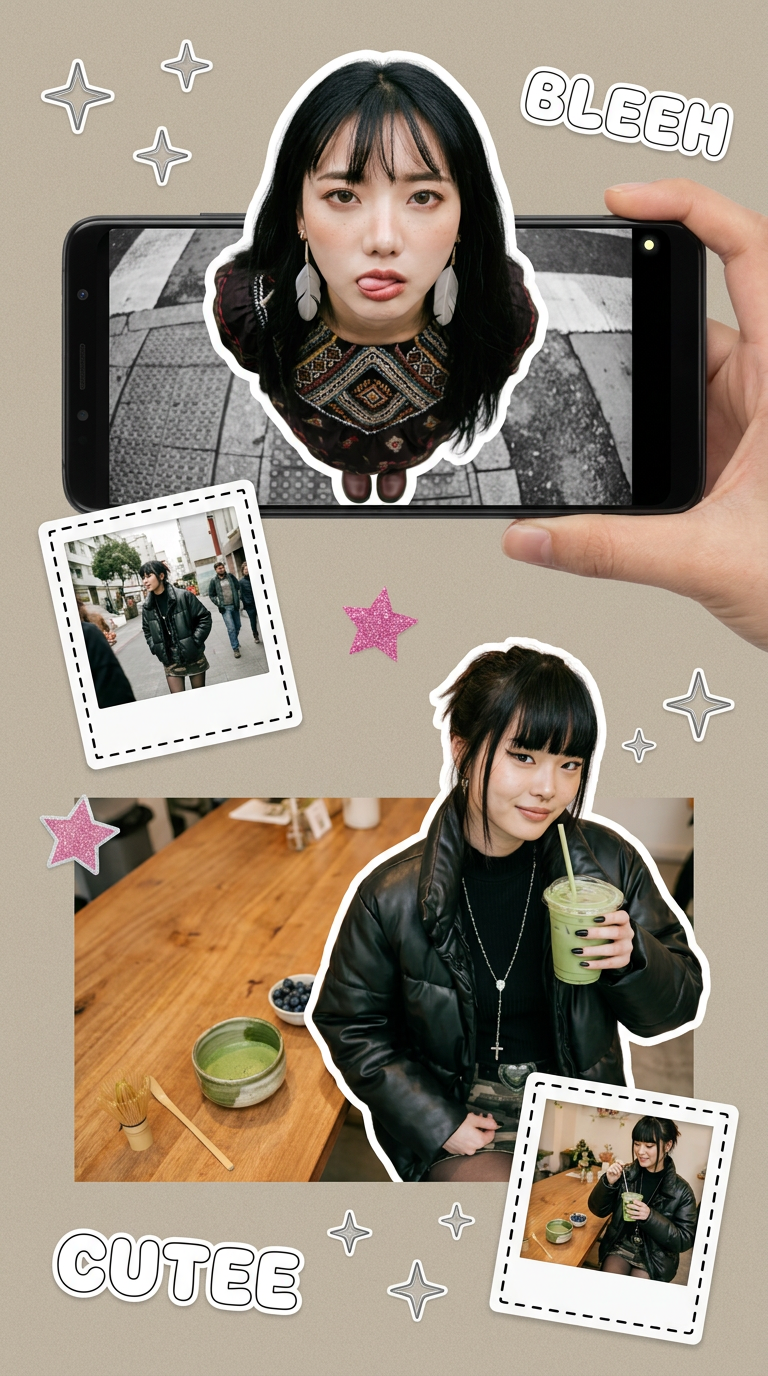
Put two different people into the same scene without losing their real-world features. Just upload two portraits and drop them together into any setting or style you need. It keeps both faces incredibly accurate.
Regenerate using your own assets.
What about merchandise? Creating a set of product stickers is a perfect use case. You don't need to worry if the character's eye color or body shape will suddenly change. The Brandkit ensures every sticker is perfectly consistent.
Workflow code: #myup-swqt-4zo3
Product Stickers

Turn your logo into a nostalgic, vibrant Y2K-style vertical ad. It automatically pulls your brand colors to create matching sweet treats like custom donuts or cupcakes in the background, giving you a super playful retro-pop aesthetic.
Regenerate using your own assets.
You can even visualize your mascot on apparel for a new marketing campaign. This workflow creates a post showcasing branded clothing, and because it's connected to your Brandkit, your mascot will appear exactly as you defined it.
Workflow code: #myup-3sro-edbt
Brand Clothes Post

Turn any outfit photo into a high-end fashion promo poster. It centers your subject in a full-body shot against a dark, dramatic studio backdrop, perfectly cropped for social feeds. It gives your apparel a moody, editorial look instantly.
Regenerate using your own assets.
In each case, your only job is to provide the high-level creative direction. MyUP executes the production, and you validate the results. This is the power of a brand-aware system over a simple image generator. For more ideas, you can explore workflows for creating everything from endless on-brand patterns to entirely consistent icon sets.
You don't have to wait for the future of AI
Character consistency is the new benchmark for AI image generation. While the rest of the industry is announcing roadmaps and teasing future features, MyUP.ai provides the solution today. The difference is a shift in perspective: from generating single images to building reusable brand systems.
By saving your mascot's DNA to a Brandkit, you gain creative control and production speed that a standalone model can't offer. Stop wrestling with prompts and start deploying your brand's character with confidence. Create your Brandkit on MyUP.ai and build the consistent mascot you've been waiting for.
