
If you're a social media manager, the last few days of July 2026 have been a blur of exciting new features. Midjourney rolled out its '--animate' parameter, and Adobe Firefly added animation to its vector graphics tool. Suddenly, creating simple, looping videos from a text prompt is easier than ever. It’s a great starting point.
But it’s just that: a starting point. The immediate next question is the one that matters for professionals: How do I make this look like my brand? How do I get my logo on it, use my specific brand colors, and then actually get it into Instagram Stories or our team's Slack channel? This is where a simple generator hits its limit, and a true brand workflow begins.
The professional workflow for on-brand GIFs
A cool animation is a novelty. An animation that consistently reflects your brand's identity is an asset. The difference is control. While tools like Midjourney can add motion, they can't enforce your brand guidelines. That's a job for a dedicated brand content platform like MyUP.ai.
The professional workflow doesn't just generate a single GIF; it builds a system for creating endless variations that are always on-brand. Here’s how it works in MyUP:
- Set up your Brandkit once. Before you generate anything, you create a Brandkit in MyUP. Just provide your website URL, and MyUP automatically pulls your logo, color palette, and fonts. This becomes the foundation for all future content.
- Generate a short video clip. Using MyUP's AI video generator, you can create a short, looping clip from a text prompt or a static image. You can animate your logo, a product, or a mascot.
- Apply your Brandkit automatically. This is the crucial step. With one click, MyUP applies your Brandkit to the generated animation. Your logo is placed correctly, and the colors are mapped to your brand's palette. You're not trying to fix colors after the fact; the generation is brand-aware from the start.
- Export as a high-quality GIF. MyUP lets you export the final animation as a high-quality GIF, with options for transparent backgrounds—perfect for stickers. The user validates the output, and MyUP handles the production.
This process turns a random creative act into a repeatable, scalable part of your content strategy. Every GIF becomes a brand touchpoint, not just a reaction.
Go beyond one-offs: create entire sticker packs
A single branded GIF is good. A whole library of on-brand stickers your team and followers can use is a competitive advantage. This is where the real power of a workflow becomes clear. Instead of prompting one sticker at a time and hoping for consistency, you can automate the creation of an entire pack.
For example, you can create a set of stickers showing your product from different angles, or a brand mascot with various expressions (happy, thinking, celebrating). In MyUP, you can run a workflow that generates these variations while ensuring the style, lighting, and brand elements remain consistent across the entire set. It's the same principle that applies to creating safe, on-brand content instead of relying on public-trained models.
You can start building a sticker sheet for your product right now with this workflow.
Workflow code: #myup-swqt-4zo3
Product Stickers

Turn your logo into a nostalgic, vibrant Y2K-style vertical ad. It automatically pulls your brand colors to create matching sweet treats like custom donuts or cupcakes in the background, giving you a super playful retro-pop aesthetic.
Regenerate using your own assets.
For more creative styles: animated collages and scenes
Your brand's animated assets don't have to be limited to a spinning logo or a winking mascot. You can create more complex and stylistic GIFs for social media campaigns, story backgrounds, or website heroes. Think animated collages, dynamic text overlays, or looping visual textures that reflect your brand's mood.
This is where MyUP templates provide a creative launchpad. Instead of starting from a blank prompt, you can use a workflow designed for a specific aesthetic, like a scrapbook or retro zine style. The workflow handles the complex stylistic prompting; you just provide the core subject and let your Brandkit ensure the colors and fonts are correct.
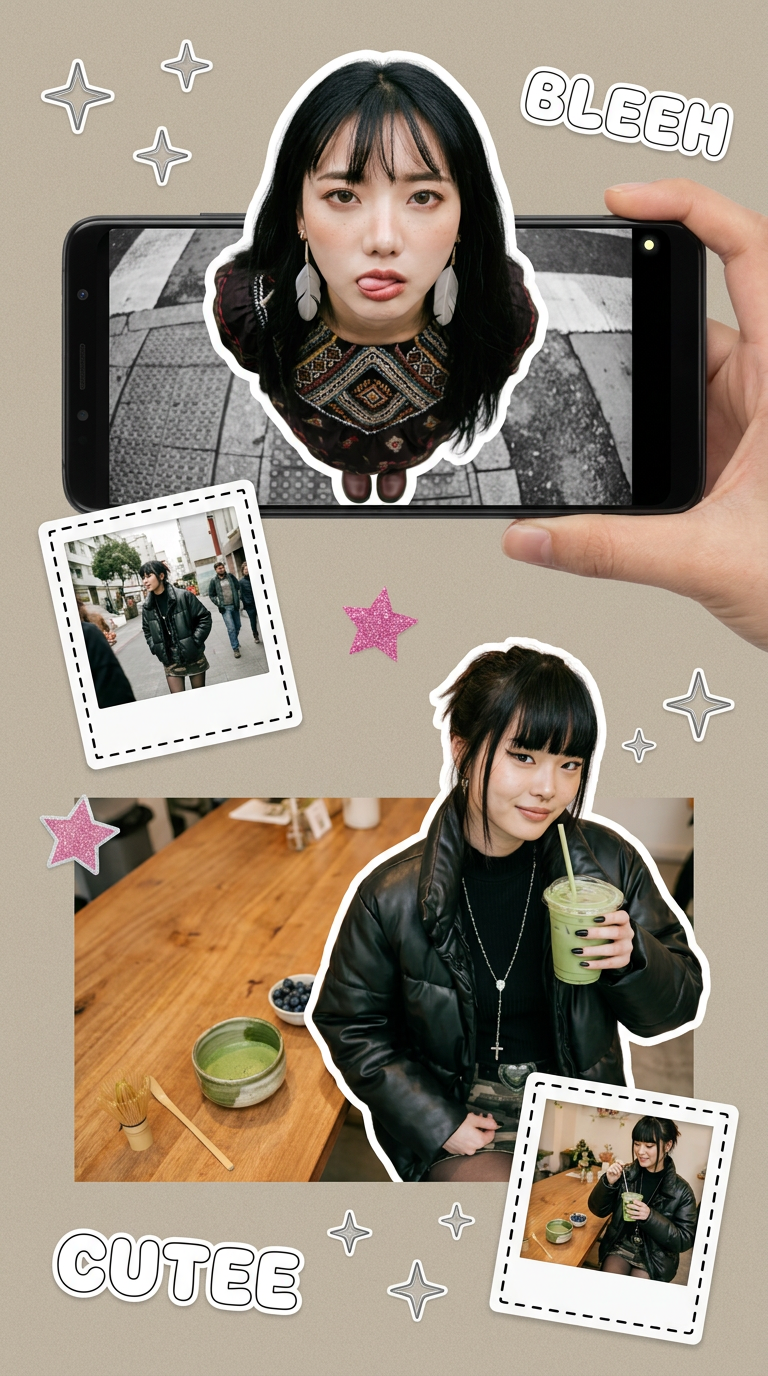
To create a more stylized, animated social post, try the Y2K Scrapbook Collage Creator workflow. It can generate a static image that you can then easily animate within MyUP and export as a GIF.
Workflow code: #myup-sacz-tjdn
Y2K Scrapbook Collage Creator
Put two different people into the same scene without losing their real-world features. Just upload two portraits and drop them together into any setting or style you need. It keeps both faces incredibly accurate.
Regenerate using your own assets.
The final step: getting your custom GIFs on Instagram and Slack
Creating the perfect on-brand GIF is only half the battle. If your audience and team can't easily find and use it, the effort is wasted. The key to distribution is GIPHY, the platform that powers GIF search in Instagram, Slack, Twitter, and countless other apps.
To make your MyUP-generated GIFs searchable, you need to set up a GIPHY Brand Channel. It’s a straightforward process, but it's the most commonly overlooked step.
Your GIPHY Brand Channel Checklist:
- Apply for a Brand Channel. Go to GIPHY's application page. You’ll need a business email address and a functioning website. Hobbyist or personal accounts are usually directed to standard artist channels, which have less visibility.
- Upload Your GIFs. Once approved, start uploading the GIFs you created in MyUP. Aim for at least 5-10 to start.
- Tag, Tag, Tag. This is critical for discoverability. For each GIF, add relevant tags. Include your brand name, product names, and descriptive keywords that people would actually search for (e.g., 'good morning', 'new product', 'sale', 'thank you').
- Link to Your Website. In your GIPHY channel settings, make sure your profile links back to your company website.
Once your GIFs are live on your brand channel, they will become searchable across all GIPHY-integrated platforms. The next time you search for a sticker in Instagram Stories, your own branded content will be right there.
When to use a workflow instead of a simple generator
The new animation features in tools like Midjourney and Adobe Firefly are fantastic for exploration and one-off creative projects. They are perfect for the hobbyist or for quickly visualizing a single idea.
But for a brand, consistency is currency. Every piece of content contributes to—or detracts from—your brand's identity. Using a simple generator is a gamble; you might get something cool, but you can't guarantee it will feel like you. And you definitely can't repeat it at scale.
A MyUP workflow is the right choice when:
- Brand consistency is non-negotiable. You need your exact logo, colors, and fonts applied every time.
- You need to create assets in sets. You're building a library of stickers, icons, or animations, not just one.
- You need a repeatable process. Your team needs to produce on-brand assets quickly without motion design expertise.
- You need control over the final output. You need to validate and adjust the AI's creation, not just accept what it gives you.
Ultimately, a generator is for playing. A workflow is for building. If you're serious about making animated content a reliable part of your brand's voice, you need a system built for control and consistency. It's the same reason you'd use a workflow for custom logo animation rather than picking a generic template.
